

For QBCC-licensed pool safety inspectors
Pool inspector app for a Queensland inspection day
Bookings, the barrier checklist, photos that wait for signal, the report, a Form 26 filled in from what you recorded, an end-of-day list for the QBCC Portal and your invoice: one app on the phone in your pocket.
Pilot offer: the first 20 businesses to sign up get 3 months at no charge (no card needed), then 25% off for as long as you stay a member. 17 of 20 places left. How it works
 Pilot offer: the first 20 businesses to sign up get 3 months at no charge (no card needed), then 25% off for as long as you stay a member. 17 of 20 places left.
The demo is your own private copy with made-up example data. No sign-up, and it's deleted automatically.
Prices include GST.
Leave the clipboard in the ute
Paper forms, a camera roll and a spreadsheet each hold part of a job. Here the job is one record from the first phone call to the lodged form.
QBCC's public pool safety register listed 451,973 registered pools and 467 licensed pool safety inspectors with Queensland business addresses: about one inspector for every 968 pools. With that many pools to each inspector, the hours after an inspection (the report, the forms, the invoice) matter as much as the walk around the fence.
Source: QBCC pool safety register on Queensland Government open data, CC BY 4.0, extract as at August 2024 (data last updated 2 Sep 2024).
PoolPreCert is a swimming pool inspection app built around that whole day. Each step below is a real screen in the app today; the For inspectors page is about the other half, getting found by homeowners.
An inspection day, step by step
Real screens from the app on a phone and a laptop, with example data from the demo.
Before: the booking
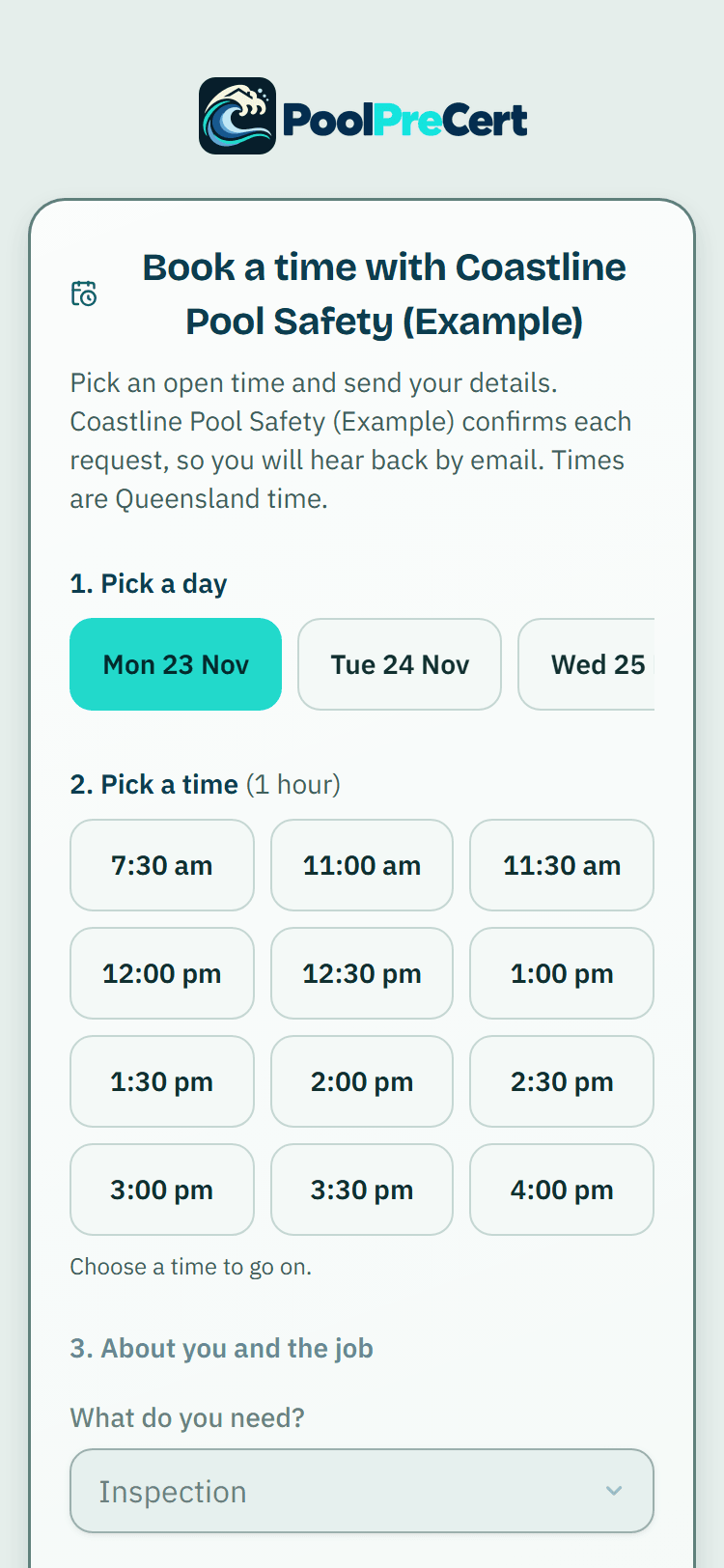
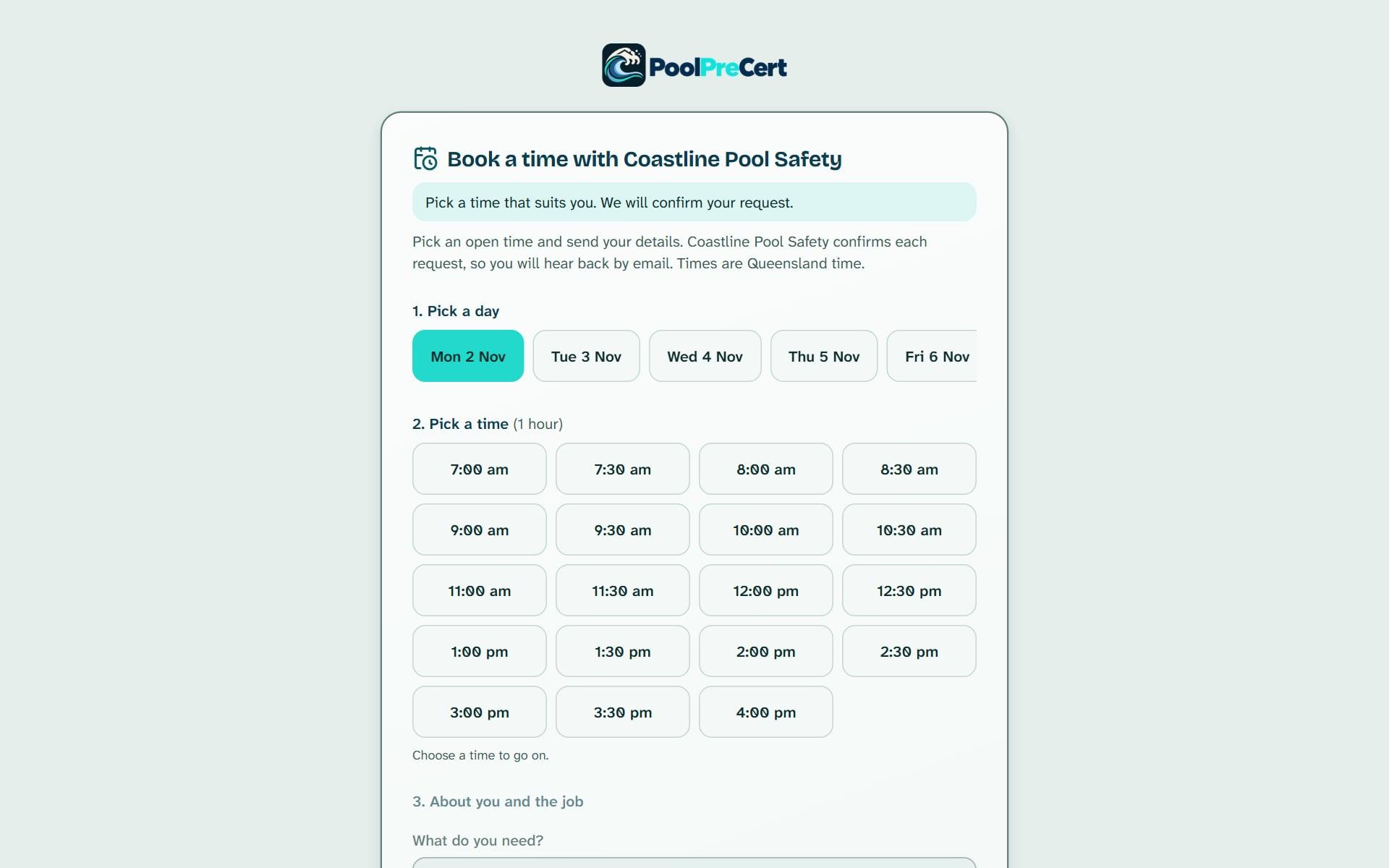
Turn on your own booking page and customers ask for a time that fits your hours, days off, jobs already booked and travel time. You approve each one; approving books the job and emails the customer a confirmation, with a reminder the day before.
On site: the barrier checklist
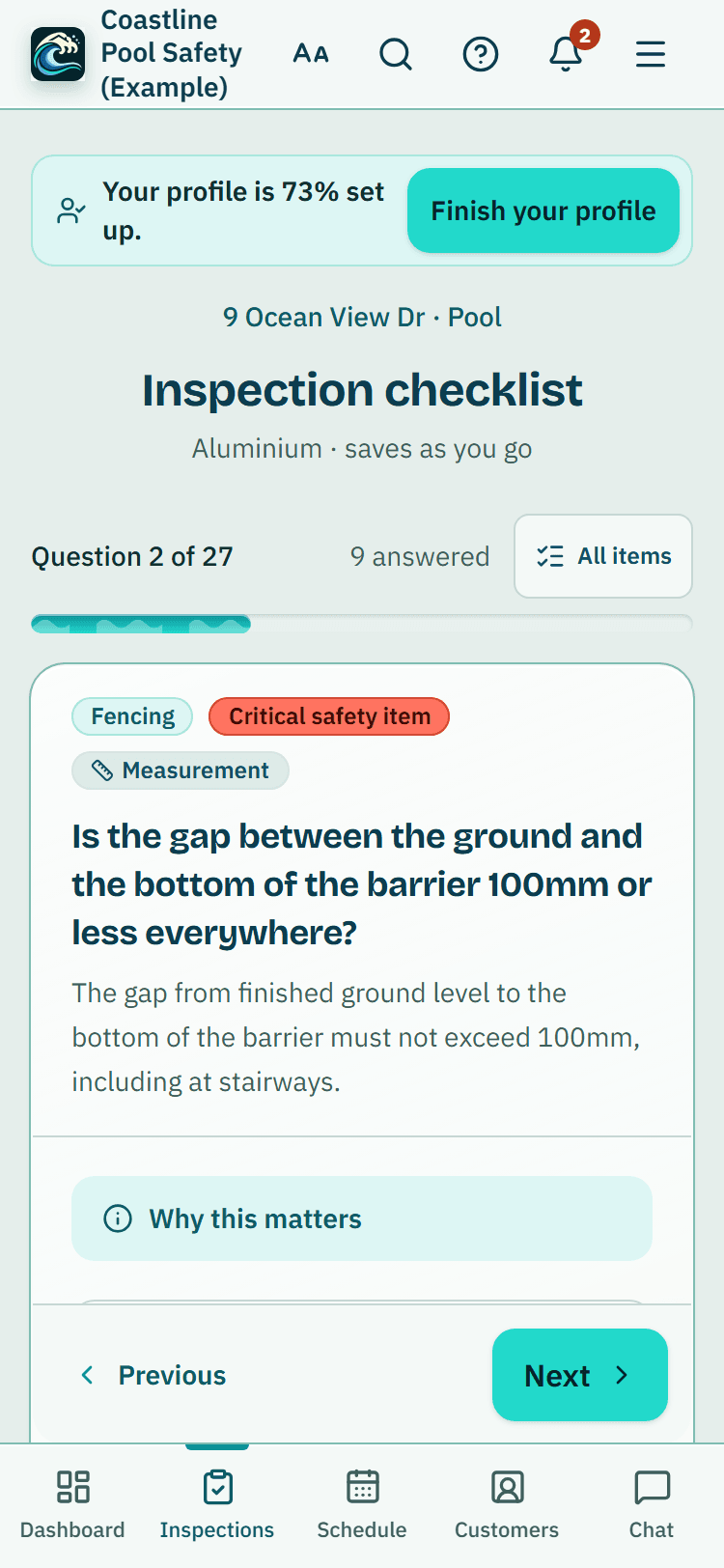
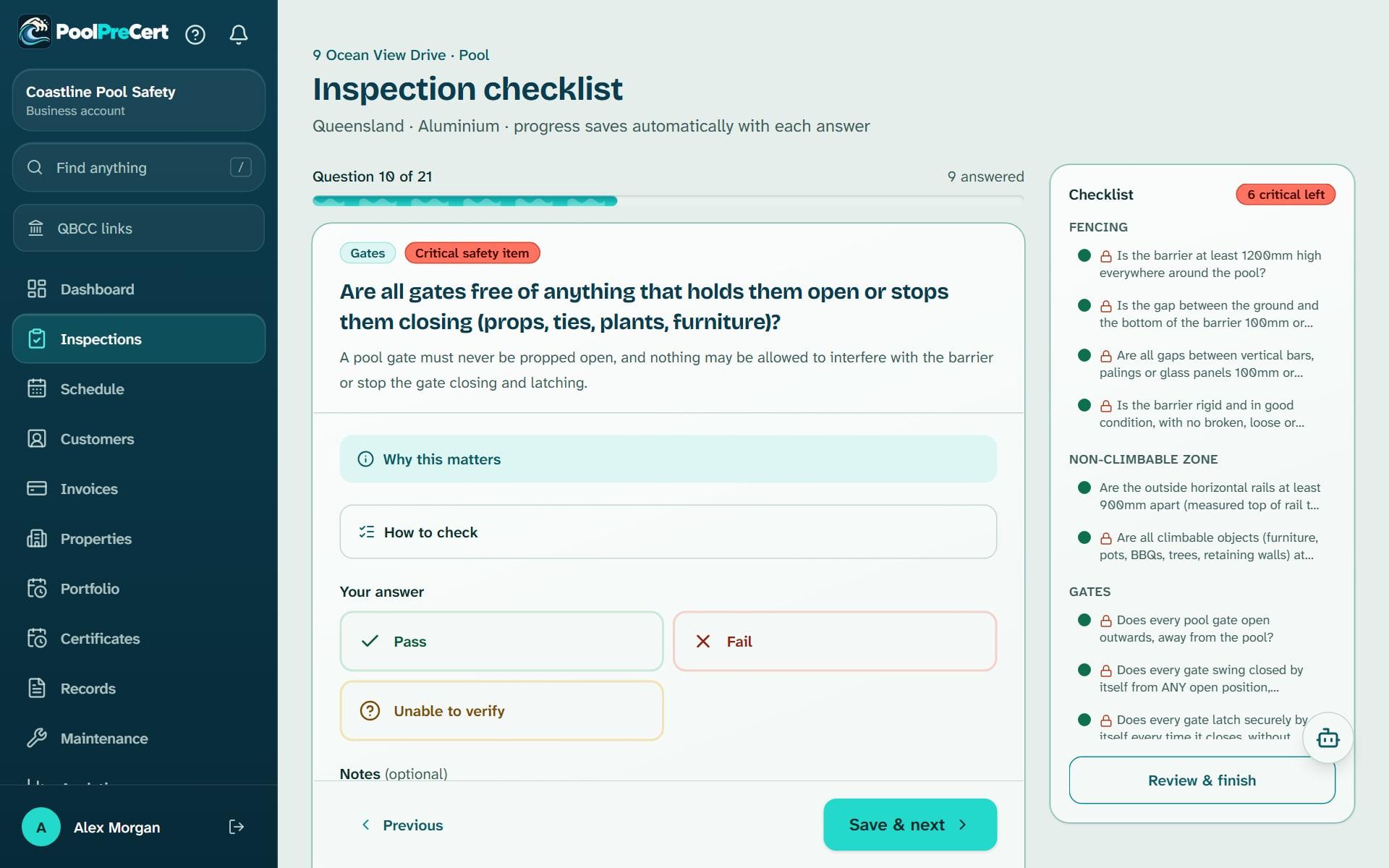
Queensland barrier items one screen at a time, in the order you walk the pool. Readings from your own tape go in measurement boxes and are compared with the requirement; photos go on the item they belong to.
- Mark photos with a circle, arrow or text, and film a gate closing (videos need signal)
- No signal at the back fence? Answers and photos wait on the phone and upload by themselves
- Before you leave, the customer can sign on your phone to record they saw the report (optional, and not an agreement)
After: the QBCC paperwork
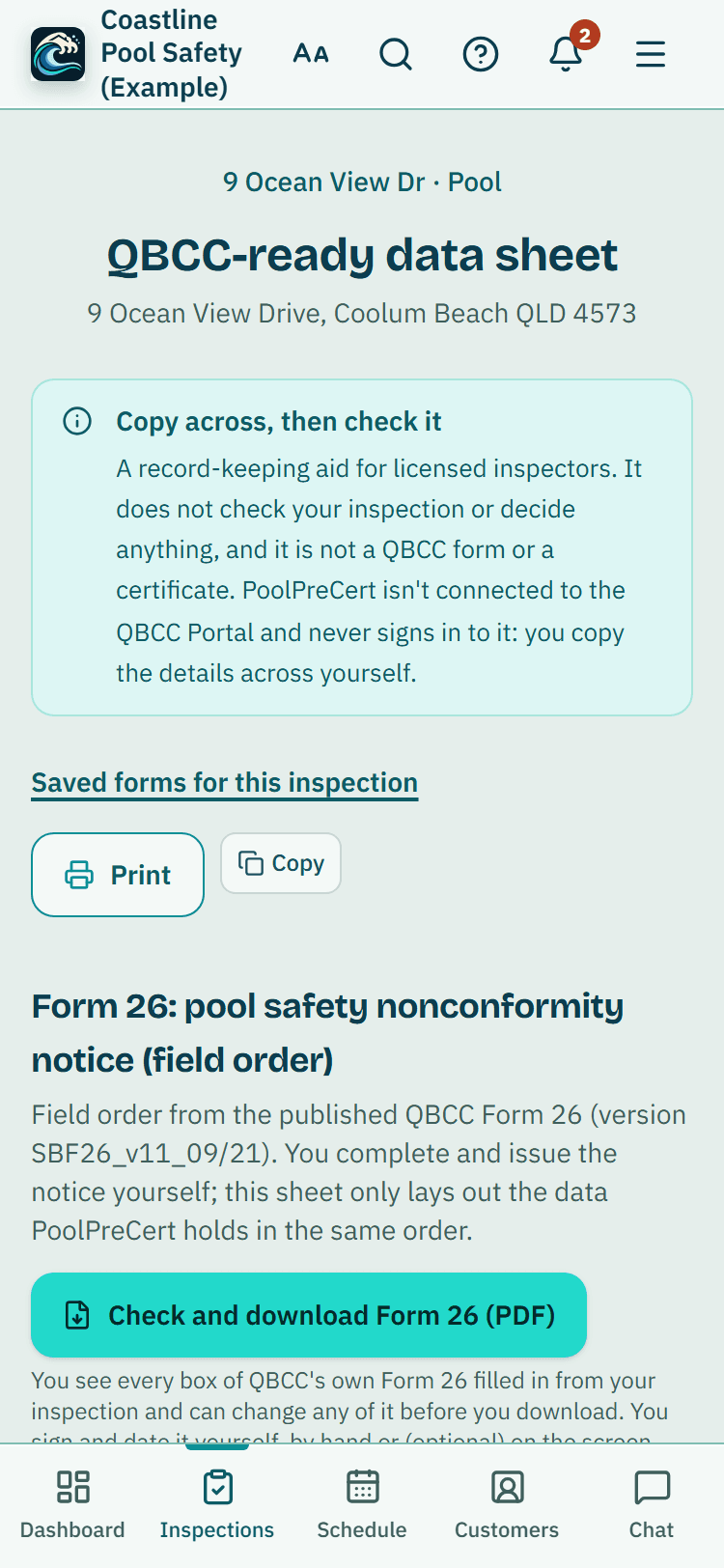
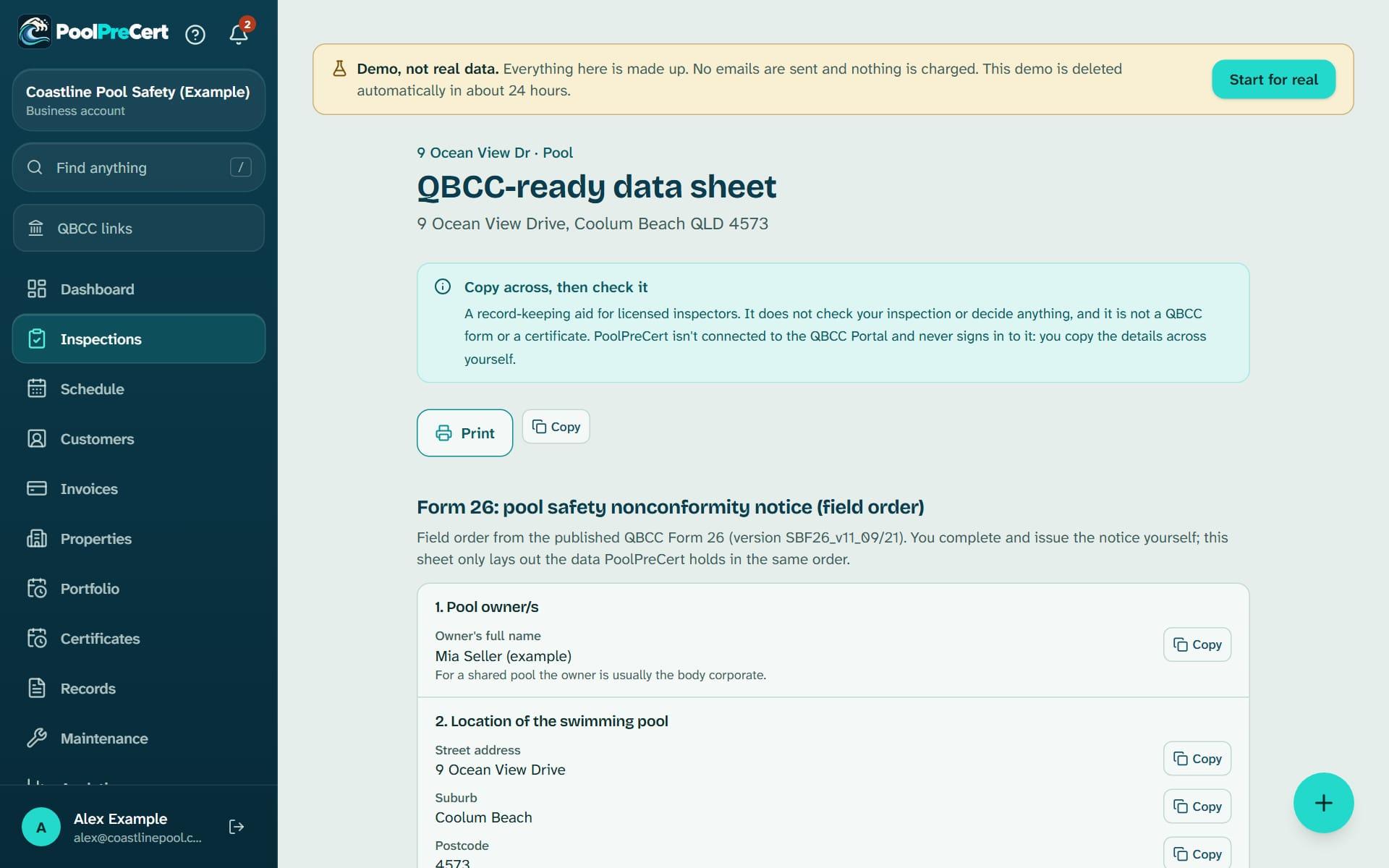
The data sheet lists the Form 23 details in the Portal's order with a Copy button on each one. For a notice, QBCC's own Form 26 comes filled in from the inspection, every box editable. You check it, sign it and give it to the owner.
- Sign your Form 26 on the screen if you choose, or by hand as before. It is optional
The report the owner reads
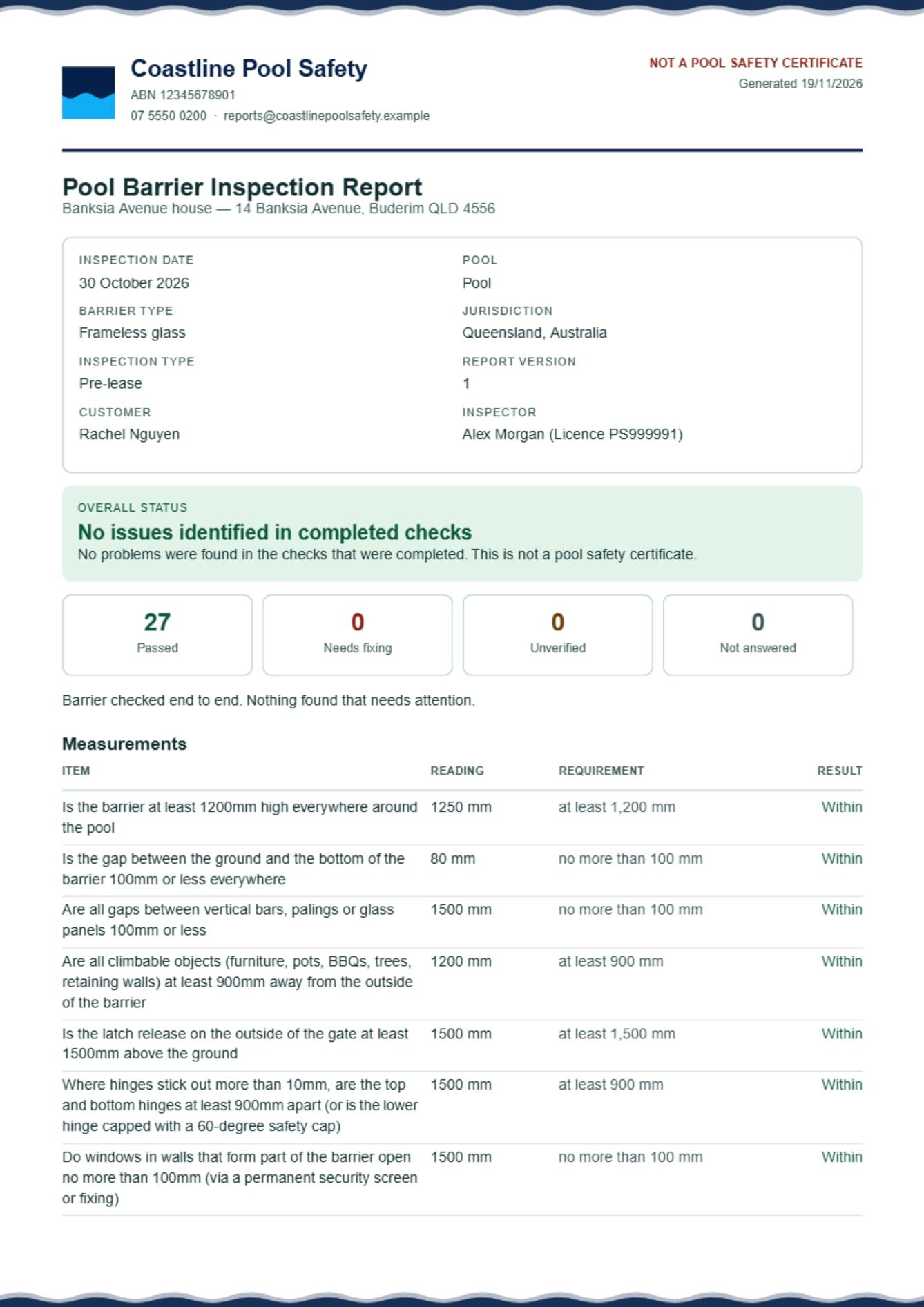
A PDF with your logo, ABN, licence number, measurements and photos. Email a private link that lasts 14 days to up to 10 people, one email each, sent as your business.
- A customer's sign-off shows on the report you make after it, with their name, the date and the signature
Then the invoice
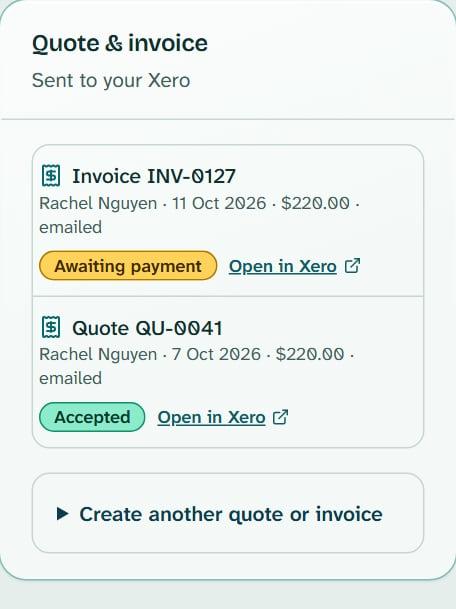
Finishing an inspection can draft its invoice at your usual price for that kind of job. PoolPreCert numbers it, adds GST if you are registered and emails the PDF; Xero is optional.
Pool inspection software built around QBCC's forms
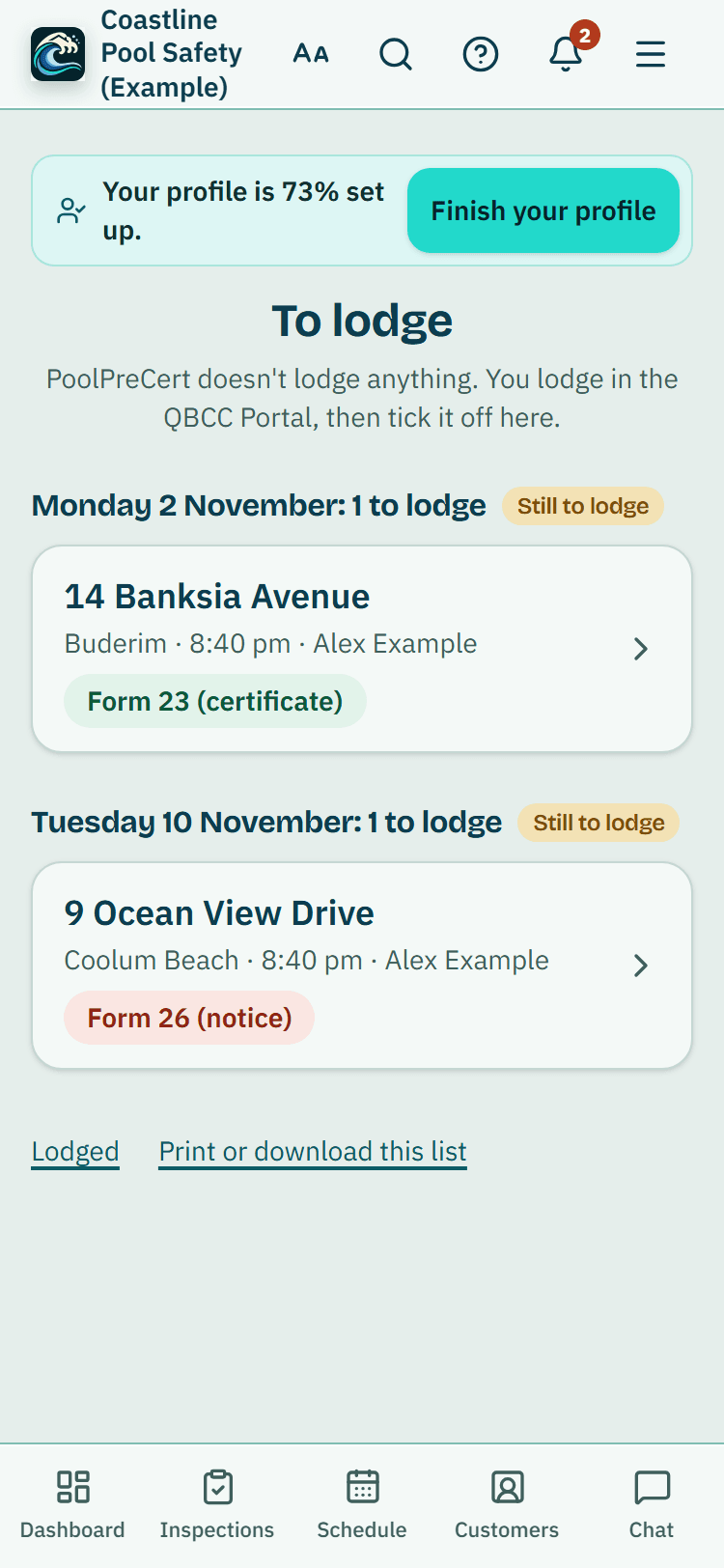
Form 23 details to copy, a Form 26 filled in from the inspection, and at the end of the day a To lodge list of every finished inspection still to enter in the QBCC Portal, grouped under its day.
Each row says which form it needs: Form 23 when nothing was recorded as a fail, Form 26 when something was, or yours to decide when items weren't checked. Tap one, press Open QBCC Portal, copy each detail across, then press Done, I've lodged it. An inspection with a fail already has its Form 26 made from the inspection, ready to check.
Once lodged, add the certificate PDF you downloaded from the Portal. It is kept with the inspection and goes on your Certificates page, which reminds you before it runs out. QBCC says a certificate lasts 2 years for a non-shared pool and 1 year for a shared pool.
Source: QBCC, Buy, sell or lease a property with a pool (page reviewed 15 May 2025; read 6 Nov 2026).
A late-afternoon reminder comes if anything is still waiting. How To lodge works, button by button.
The rules your records follow
Two QBCC and Queensland Government rules the app keeps track of for you. The decisions stay yours.
The Queensland Government says that after a nonconformity notice, the same inspector re-inspects within three months. Book the re-inspection makes the job with a due-by date, and the Form 26 tracker reminds you 14 days before and on the day.
QBCC's record keeping fact sheet says inspection records are kept for at least five years. A finished inspection is locked, can't be deleted for five years while your account is open, and downloads as a ZIP that opens with no internet.
Sources: Queensland Government, Pool safety laws (page updated 18 Nov 2019, reviewed 27 Jun 2024; read 5 Nov 2026); QBCC fact sheet, Record keeping for pool safety inspectors (effective May 2026; read 5 Nov 2026).
What it does, and what it doesn't
What it does
- Records your answers, measurements, photos, videos and notes in one locked record per inspection
- Keeps working with no signal once a checklist has been opened with a connection
- Fills in QBCC's Form 26 and lists the Form 23 details to copy into the Portal
- Keeps every Form 26 you make, your Form 23 details and the certificate PDF with the inspection
- Makes your report, quote and invoice, and sends them from your business name
- Puts your own signature on Form 26 if you choose Sign on the screen, and records a customer's sign-off on your phone
What it does not do
- Decide anything about a pool: you decide, and you issue the certificate or notice
- Connect to the QBCC Portal, lodge or submit anything to QBCC
- Take card payments: customers pay your bank account
- Come from an app store: it opens in your browser and goes on your Home Screen
- Show your jobs on a map: Directions opens your phone's own maps app
Want fewer buttons on site? Simple view in the field turns each step into one big button. Each part has its own page too: the checklist, working offline and the booking page. For customers and staff there are texts to your customers, a roster and time off, clock on and timesheets and team chat.
What the inspector app costs
Starter $49 a month · Business $99 a month (incl. GST)
Pilot offer: the first 20 businesses to sign up get 3 months at no charge (no card needed), then 25% off for as long as you stay a member. The months at no charge count from the day you sign up. 17 of 20 places left. After the places are gone, both plans start with a 14-day trial, no card required.
No per-request fees and no lock-in contract; cancel under Billing.
The same app, set up for other trades: Pool fencing app: repair requests, quotes from your own price list and deposit invoices. Pool builder app: project enquiries, itemised quotes, progress invoices and crews.
Common questions
Is PoolPreCert in the App Store or Google Play?
No. It runs in your phone's web browser, and you can add it to your Home Screen so it opens like any other app. There is nothing to download from a store. Once a checklist has been opened with a connection, answers and photos keep saving with no signal.
Can I sign the Form 26 inside the app?
Yes, if you choose to. Sign on the screen is optional: draw your signature once with your finger and it goes in the Form 26 signature box with today's date. Leaving it empty and signing by hand stays the default. Only you can see your saved signature.
Does the app lodge certificates with QBCC for me?
No. PoolPreCert has no connection to the QBCC Portal. To lodge lists your finished inspections with a Copy button for each detail; you lodge in the Portal yourself, then press Done, I've lodged it to tick it off.
Can customers pay an invoice by card through PoolPreCert?
No. An invoice made in PoolPreCert shows your bank account and asks the customer to use the invoice number as the reference. PoolPreCert never takes or holds money. Mark as paid records it when the money reaches your bank.
Can a second inspector or office staff use it?
Yes. Invite people on the Team page and give each one a role: owner, administrator, inspector or viewer. The schedule shows everyone's jobs or just your own, and up to 4 people can be on one job.
What does the inspector app cost?
Starter is $49 a month and Business is $99 a month, incl. GST, with no per-request fees and no lock-in contract. The first 20 businesses to sign up get 3 months at no charge (no card needed), then 25% off for as long as you stay a member. After the places are gone, plans start with a 14-day trial, no card required.
Run your next inspection in it
Try the demo with made-up jobs first, or start with your own. Questions go to support@poolprecert.com and a person on the PoolPreCert team replies.
Related help articles
Sources
- Queensland Government open data: QBCC pool safety register, CC BY 4.0 (data last updated 2 Sep 2024; read 31 Oct 2026) (opens in a new tab)
- QBCC fact sheet: Record keeping for pool safety inspectors (effective May 2026; read 5 Nov 2026) (opens in a new tab)
- Queensland Government: Pool safety laws (page updated 18 Nov 2019, reviewed 27 Jun 2024; read 5 Nov 2026) (opens in a new tab)
- QBCC: Buy, sell or lease a property with a pool (page reviewed 15 May 2025, published 11 Jun 2026; read 6 Nov 2026) (opens in a new tab)
Last checked against QBCC guidance: 19 November 2026.