

Pool inspection app for the field
Pool inspection app for the field: from the pool gate to getting paid, one big button at a time
On site with Simple view: one question a screen, big buttons for your thumb, answers that wait for signal, then Create invoice, Send and Mark as paid.
The short answer
On site you have a tape in one hand and the phone in the other. Simple view gives each step one obvious button, big enough for a thumb, and carries you from the first question to the invoice without hunting through menus.

Taps from the last question to a sent invoice
When the job already has a price and the customer has an email address, it goes like this:
- Finish the inspection on Check my answers.
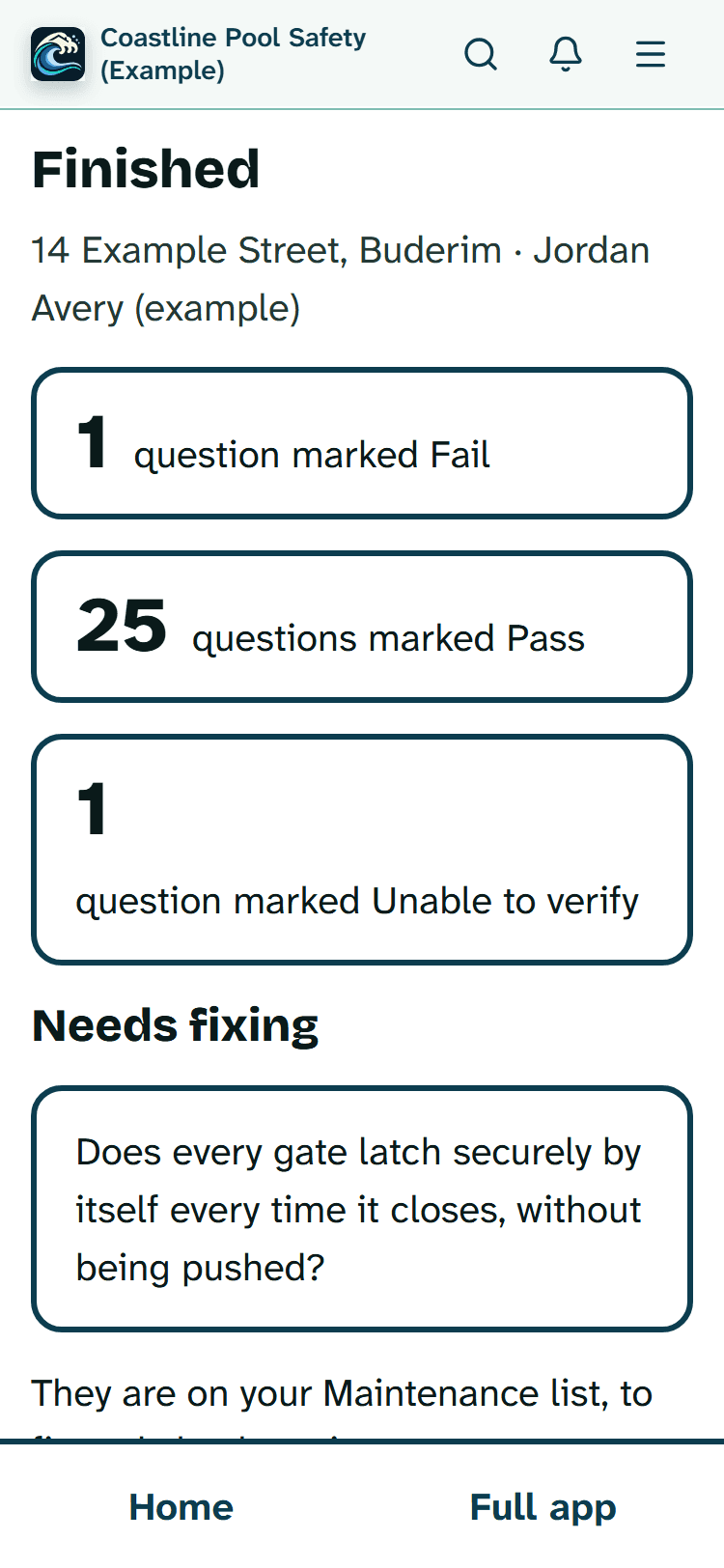
- Create invoice on the finished screen, which shows the counts under the same headings as the full inspection page.
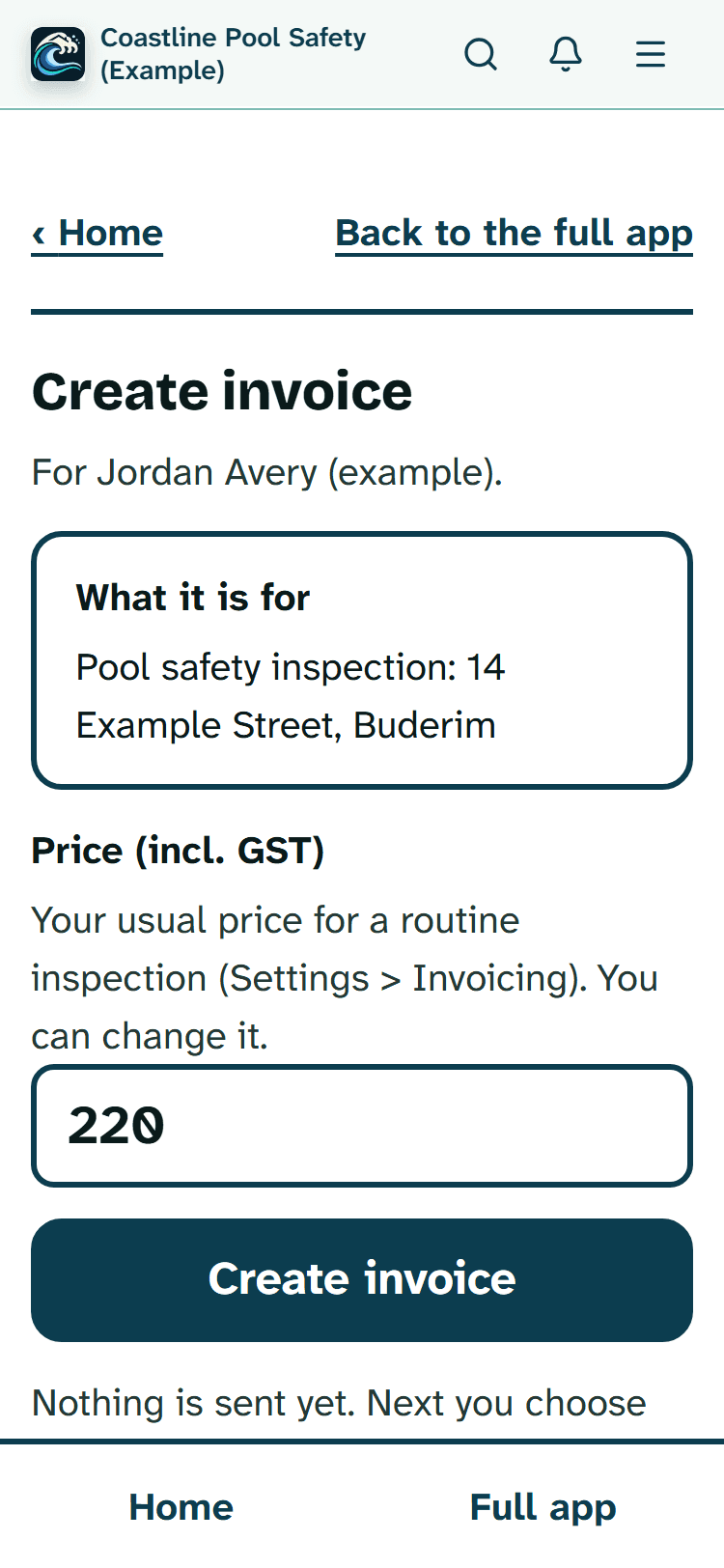
- Create invoice again, under the price box. The price comes from the job, or from your usual price for that type of inspection.
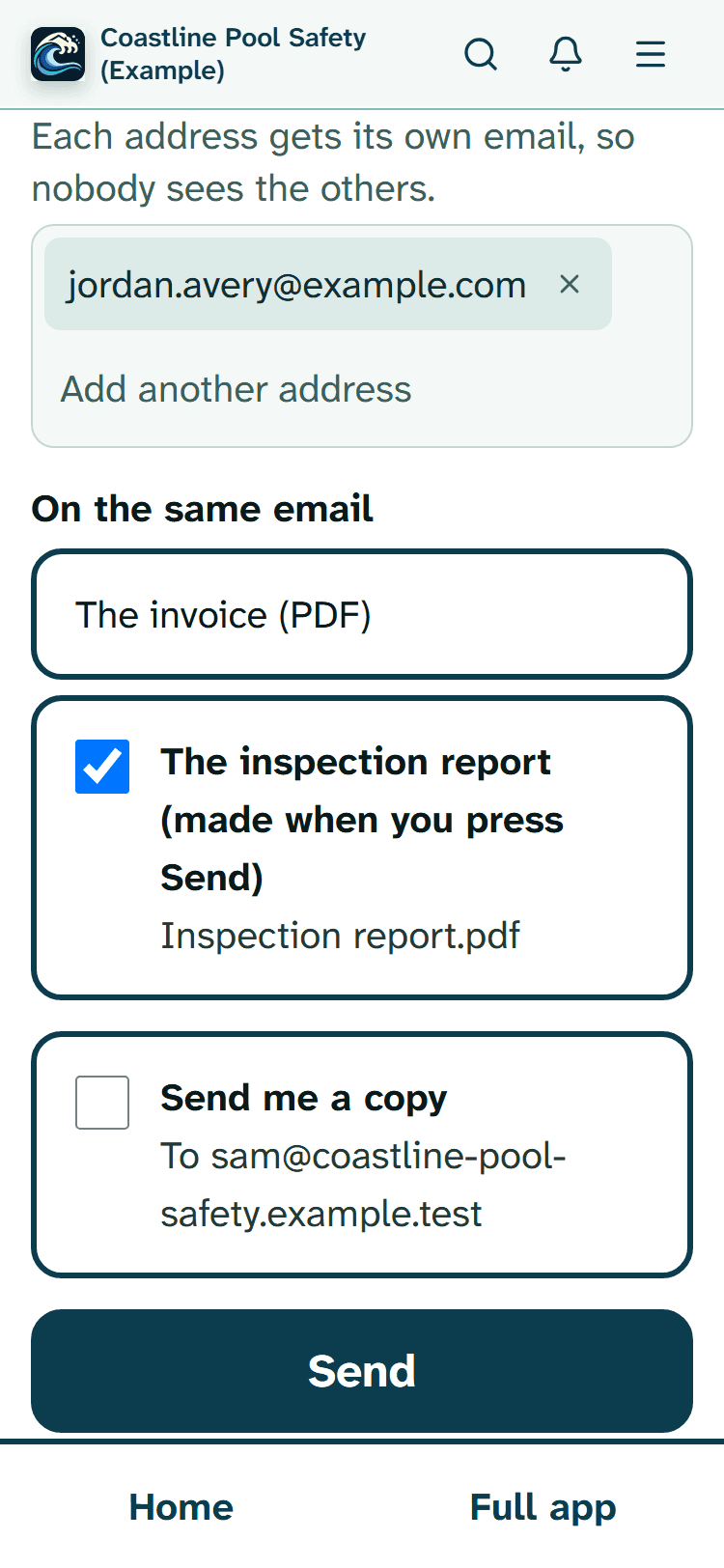
- Send. The customer is already ticked, and so is the report if that is how your invoicing settings are set up. If Send is refused (no email address yet, say), add the address and press Send again: the report stays ticked.
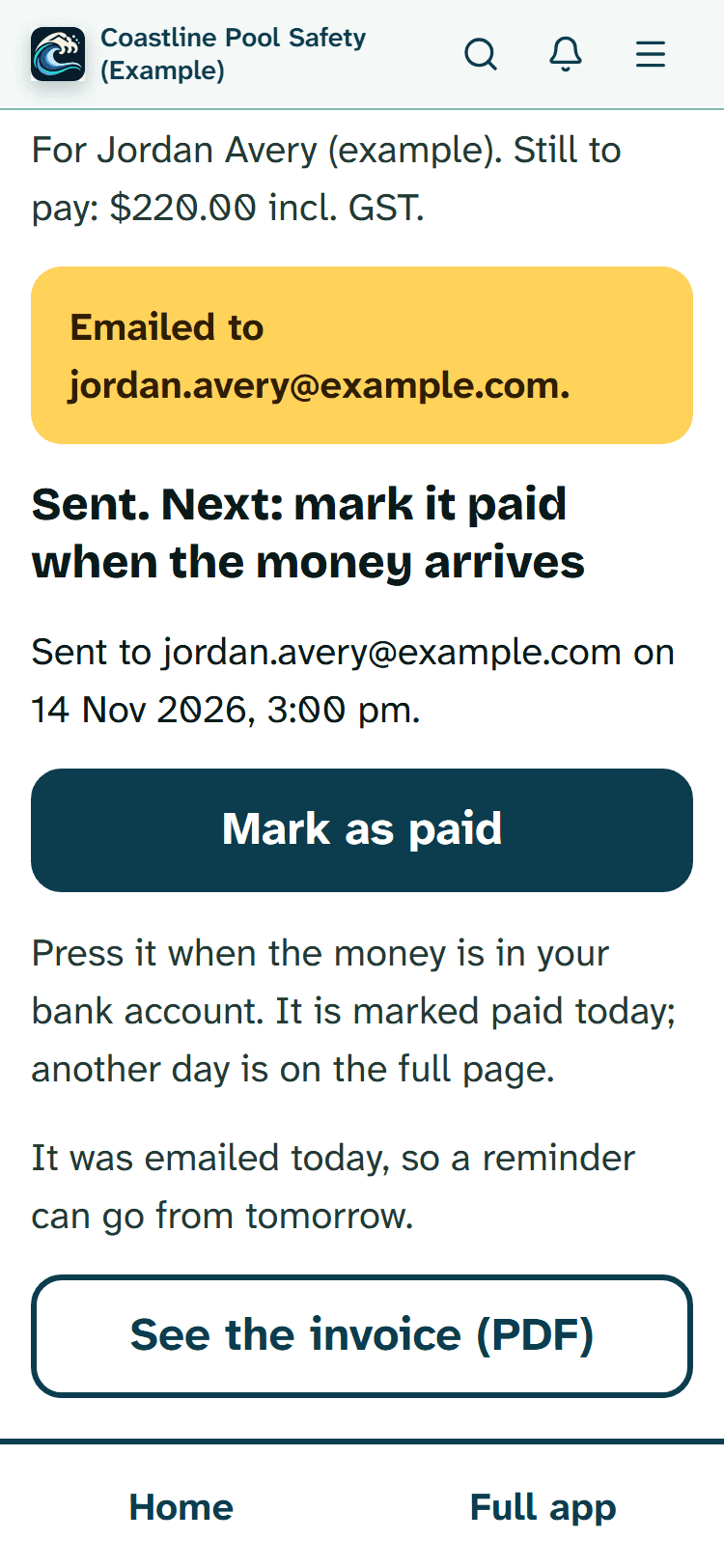
That is four presses. When the money comes in, Mark as paid is the fifth, and it records today's date. Until then, Send a reminder sits under it; it isn't offered on the day the invoice was emailed, and comes first once the invoice is due.
Sized for a thumb
Every main button is at least 64 pixels tall, the full width of the screen, with 16 pixels between them. That leaves room for a wet finger or a gloved one to land on the right answer. Touch screens and gloves don't always get along, though, and that depends on your gloves and your phone, so check it in the demo before relying on it.
Measuring without fiddling
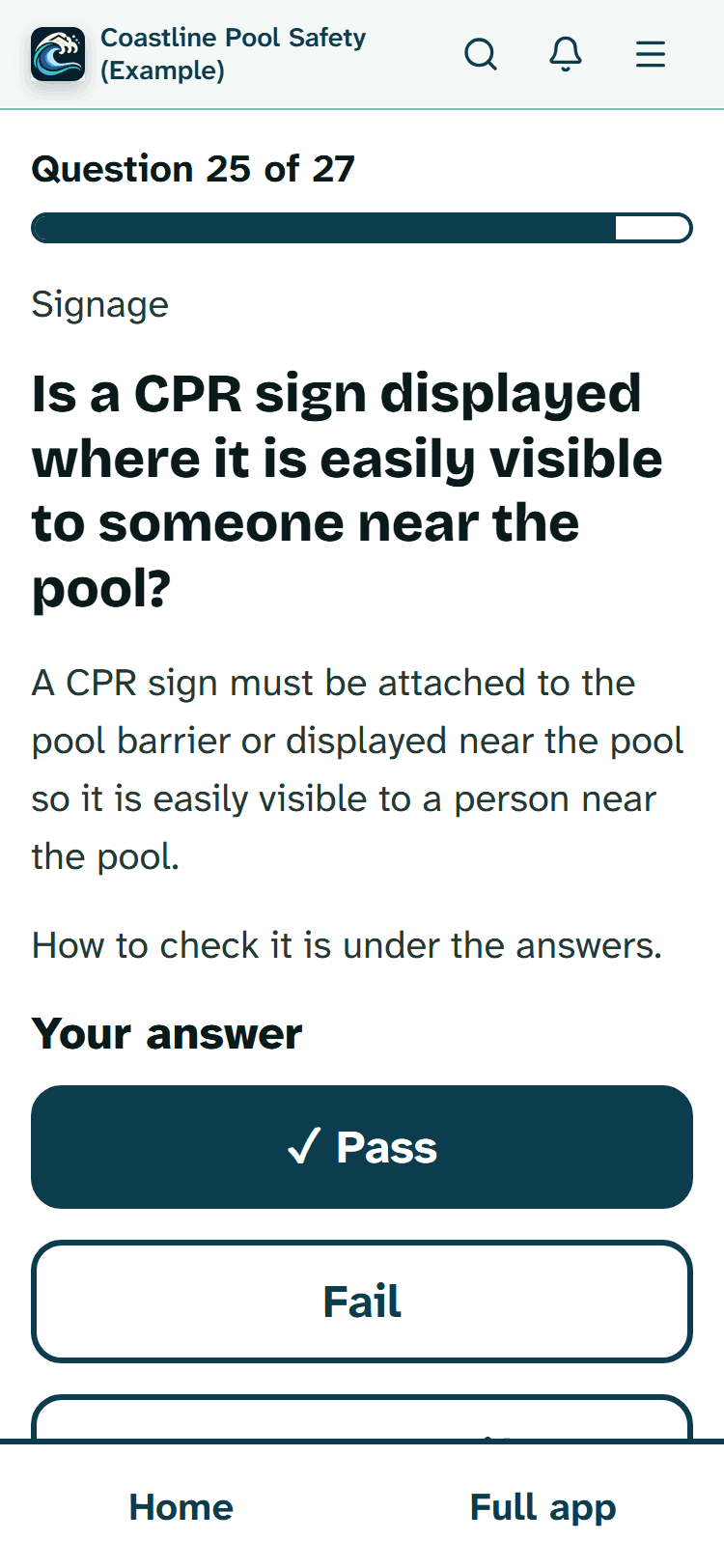
A measurement question has a single large number box and a unit choice of mm, cm or m, with the size it needs to be written underneath. If you type a number under the minimum, a note says so while you are still standing there.
Read more
Press the green answer on a low reading and the app asks whether to record it as a fail instead. Add another measurement is there when one isn't enough.
Add a note and Add a photo are big buttons on the same screen, so the evidence goes with the question it belongs to.

When the signal drops out
The guided inspection uses the same offline saving as the full checklist:
- answers, notes and photos are kept on the phone and upload by themselves when the signal returns;
- finishing waits until everything has uploaded, so nothing is left behind;
- creating and sending the invoice needs a connection;
- if you open the app with no signal at all, a checklist you opened before on that phone comes back from its saved copy, in the normal layout.
The offline mode help covers the limits, such as opening each checklist once with signal first.

Fixing a slip before you drive off
Back steps you to the previous question. Check my answers shows the whole inspection on one screen and opens any question you tap. If you have already finished, an owner or admin presses Change something, corrects the answer and finishes again. Reports made before that are kept but never sent again; the next step makes a fresh one with the corrected answers.
Read more
If the invoice has already gone, that step sends the new report on its own, without the invoice.
Stuck with something on the day? Send a line to support@poolprecert.com; a person on the PoolPreCert team answers it.

Your own checks, set up once
Owners and admins can open Change my checks from the Start inspection screen. It does one job at a time: Add a check (type it, then pick Yes or no, or A measurement), Remove a check you added yourself, or Put back the standard checks. The standard questions always stay; if one doesn't fit a pool, answer Not applicable on the day where the question allows it.

The steps on a phone
Captured in the demo at phone size, using invented jobs and customers.

Kept on the full screens
Gate videos, AI photo checks, quotes, extra email attachments, paying on another day and the lists of requests and invoices stay on the normal pages, each one link away (Home says when invoices are waiting for payment). If you use Xero, or your invoice settings aren't finished, Create invoice opens the full form and says why.

Set it up before the first job
Tap Make it simple on Home, or turn it on in Settings, then Appearance. Home becomes Start inspection, Add contact, Schedule and Customers. Schedule shows today and the next three days as big cards, and Back to the full app is always one tap away.
Cost
No extra charge for Simple view. For inspections you need a business membership, $49 (Starter) or $99 (Business) a month incl. GST. The first 20 businesses to sign up get 3 months at no charge (no card needed), then 25% off for as long as you stay a member.
Read more
After the places are gone, plans start with a 14-day trial, no card required. Full plan details are on the pricing page and the page for pool safety inspectors.

Other Simple view pages
- Simple view for people who prefer simple: calm, step-by-step, and what to do if you get stuck.
- The large print page: text sizes, contrast and screen readers.
- The pool inspector app in the normal layout: the QBCC paperwork, the end-of-day list and the reports that come after the gate.
- The Help article, with every Simple view button in order.
Common questions
How many taps from the last question to a sent invoice?
Usually four presses of a big button: Finish the inspection, Create invoice, Create invoice again to confirm the price, then Send. That is when the price and the customer's email are already filled in. Mark as paid is one more press when the money arrives.
Will it work with gloves on?
The buttons are at least 64 pixels tall with space between them, so they are easier to hit with a glove or a wet finger than small buttons. Whether your gloves work on a touch screen depends on the gloves and the phone, so try the demo with them first.
What happens with no signal?
Answers and photos you give in the guided inspection are kept on your phone and upload by themselves when the signal comes back. Finishing waits until they have uploaded, and making and sending the invoice needs a connection. If you open the app with no signal at all, a checklist you opened earlier on that phone comes back from its saved copy, in the normal layout rather than big writing.
Can I fix a wrong answer before I leave?
Yes. Back takes you to the last question, and Check my answers lists every question so you can tap one and change it. After you finish, an owner or admin can press Change something, fix it and finish again.
What does it cost to use on site?
Simple view has no extra charge. You need a business membership for inspections: Starter $49 a month or Business $99 a month, incl. GST. The first 20 businesses to sign up get 3 months at no charge (no card needed), then 25% off for as long as you stay a member. After the places are gone, plans start with a 14-day trial, no card required. Try it first in the demo, which has no charge.
Run a practice job
Start the demo, switch on Simple view and time yourself from Start inspection to Send. The customers are invented and the demo sends no emails.
There is no charge, and you don't sign up.