

Large print inspection app
Large print inspection app: big writing and strong contrast, easy to read
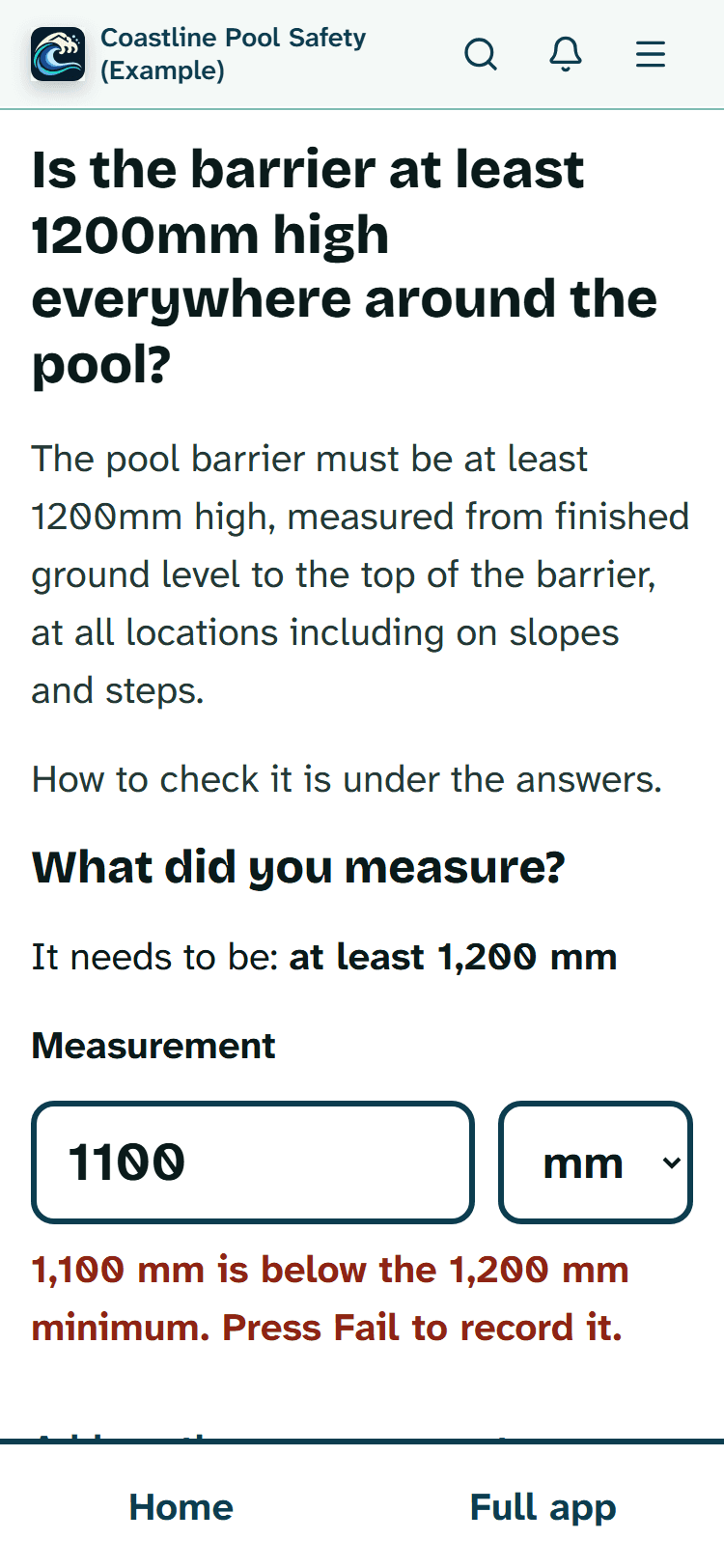
Simple view sets PoolPreCert in 20px writing with 7:1 contrast and 64px buttons, one question per screen, and grows with your phone's text size.
The short answer
Small grey text on a bright day is hard for anyone. In Simple view, PoolPreCert uses large, dark letters on a plain background, tall buttons and a single question on each screen. These are the real measurements, so you can judge for yourself before you try it.
The sizes, in numbers
At your phone's normal text setting:
- everyday writing is 20 pixels;
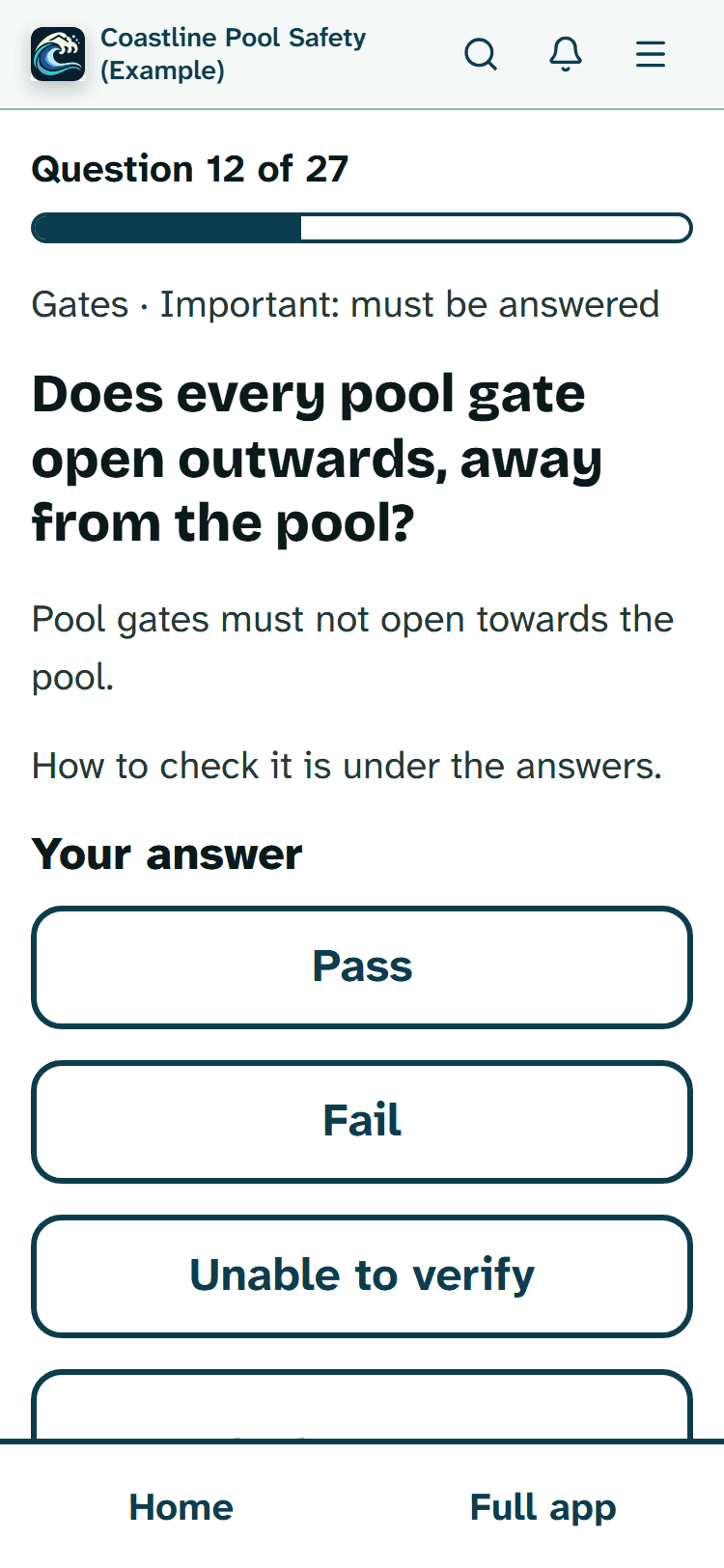
- each inspection question is 28 pixels, in bold;
- words on the big buttons are 24 pixels, and smaller ones such as Take photo use the 20-pixel everyday size;
- every button and every link that does something on a question is at least 64 pixels tall;
Show 2 more
- the four buttons on Home are between 64 and 88 pixels tall, depending on how tall your screen is;
- there are 16 pixels of space between buttons, so a finger doesn't catch the one next to it.

Colours chosen for contrast
Each pair of text and background colours in Simple view reaches a contrast ratio of at least 7:1. That is the figure the Web Content Accessibility Guidelines (WCAG 2.2) set for level AAA, their highest level, for ordinary text. An automated test checks every pair, in light mode and in dark mode, each time the app is changed. Whatever has keyboard focus gets a thick 4-pixel outline.
To be clear about what that means: the colours meet that figure, but the app as a whole has not had a formal accessibility audit, and we don't claim it has.
When you make your phone's text bigger
The sizes are set relative to your phone's own text size, so if you have turned on larger text, or you zoom in, Simple view grows with it. Buttons have a smallest height but no fixed height, and long words wrap onto the next line instead of running off the edge. If something still doesn't fit on your phone, tell us at support@poolprecert.com and we will look at it.
Reading a question at the pool
Each screen of the guided inspection shows the question number, such as Question 4 of 27, with a bar showing how far through you are. The area name sits above the question, and important questions say "Important: must be answered". How to check is folded away until you open it, so the screen stays uncluttered.
The answers are four big buttons with the same names as the full checklist, nothing renamed. An inspector's match the formal report; a property manager's or owner's self-check says Looks OK, Needs attention, Couldn't check and Doesn't apply. The fourth shows only where the question allows it. The one you choose shows a tick, so you can see it at a glance.
If you use a screen reader
The guided inspection was built with screen readers in mind:
- the question number is announced as you move on;
- the reading position moves to each new question by itself;
- the chosen answer is marked as pressed;
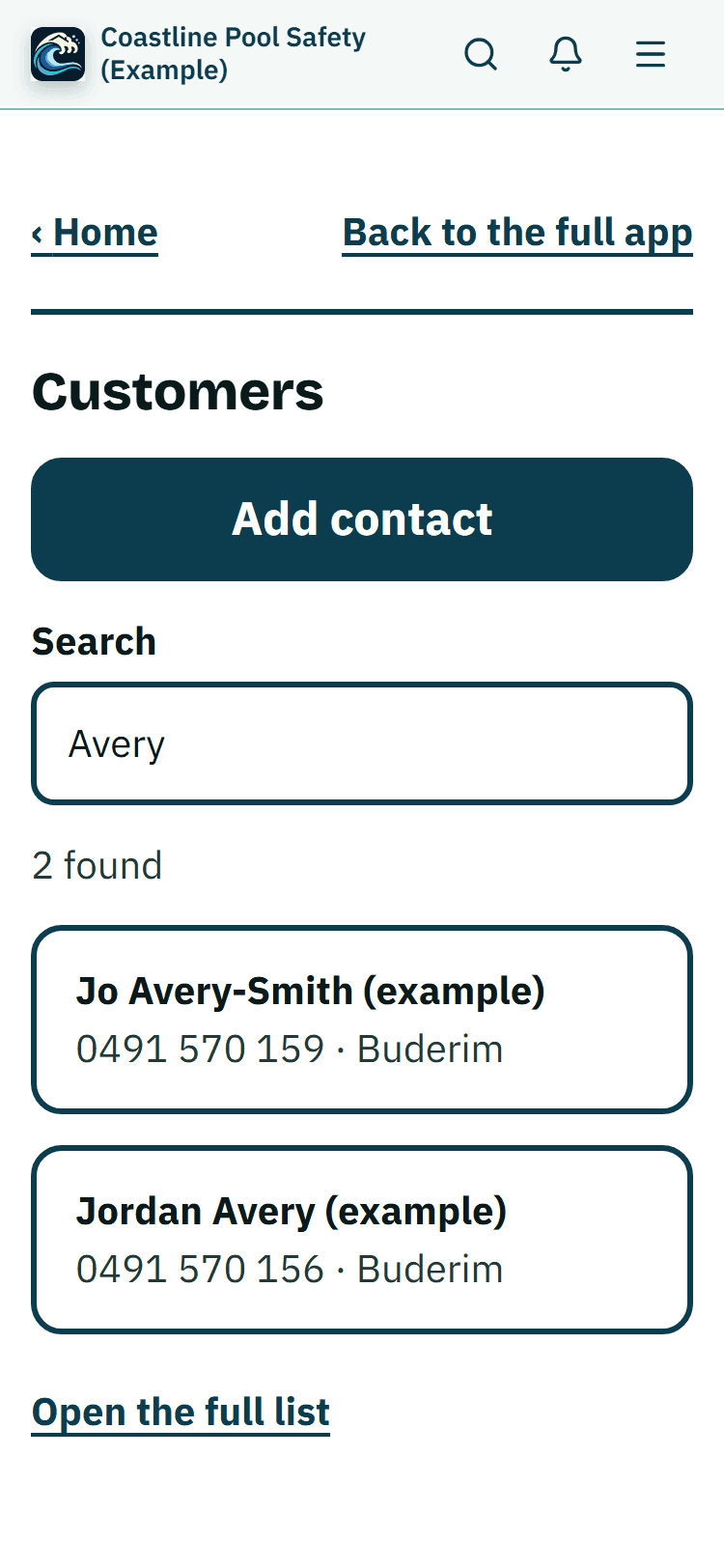
- boxes such as the customer search have proper labels.
It hasn't yet been tried with every screen reader and phone, so we would like to hear what works for you and what doesn't.

Going over your answers in big writing
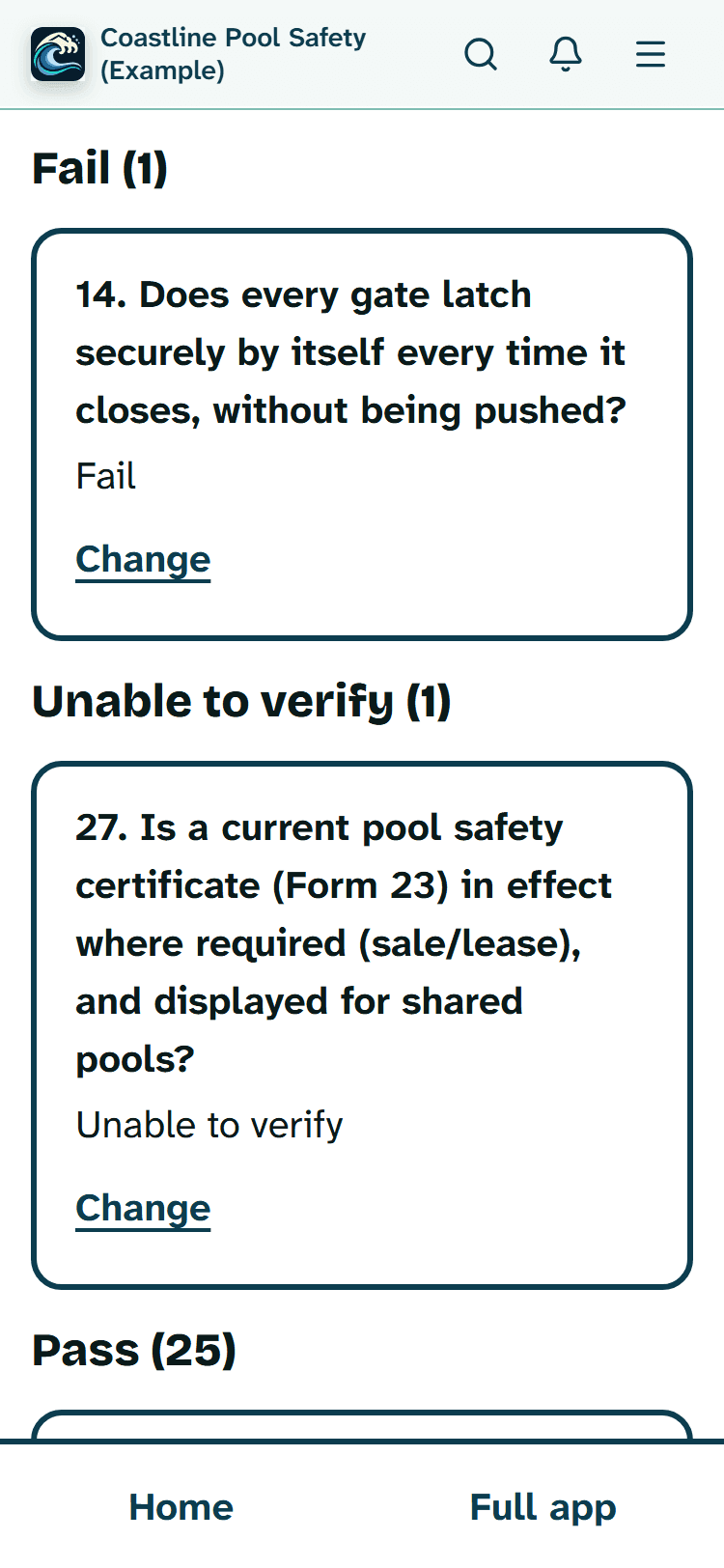
Before you finish, Check my answers lists every question as a big row, grouped by answer, with Fail and Unable to verify first, then the rest, and any not answered yet. Your own checks are a group of their own at the end, because they are never counted in the result.
Read more
Each row shows the answer, any note and how many photos it has. Tap a row to open that question again. The Finish button only appears once every important question has an answer.

Screens at their real size
Pictures from the demo on a phone-width screen, with made-up details.

Switching the big writing on
One tap does it: Make it simple on your Home, or Turn on Simple view in Settings, then Appearance. You then see four large buttons (Start inspection, Add contact, Schedule and Customers for an inspector). To go back to the usual sizes, tap Back to the full app on any screen.
Some screens, such as a job page, keep their normal layout but get the bigger writing too, with Home and Back to the full app above them. Gate videos, quotes and the lists of requests and invoices are on the full screens.
Price
The large writing costs nothing extra. An inspector's business membership is $49 a month for Starter or $99 a month for Business (incl. GST). The first 20 businesses to sign up get 3 months at no charge (no card needed), then 25% off for as long as you stay a member. After the places are gone, plans start with a 14-day trial, no card required. See pricing or what inspectors get.

Related pages
- New to apps altogether? Pool inspections, made simple walks through it gently, worry by worry.
- Short on time at the job? Simple view in the field is about working fast with one hand.
- Everything else an inspector does in a day, from bookings to Form 26 and invoices, is on the pool inspector app page.
- Every button explained in the Help Centre: Simple view: big buttons, big writing.
Common questions
How big is the writing?
Ordinary writing is 20 pixels, each question is 28 pixels and bold, and button words are 24 pixels, at your phone's normal text size. They are set in relative units, so a larger text setting or zooming in makes them bigger still.
Has the app been formally audited for accessibility?
No. We have not had a formal accessibility audit. What we can say is that every colour pair in Simple view is checked by an automated test to reach at least 7:1 contrast, the WCAG level AAA figure for text, in both light and dark mode.
Does it work with VoiceOver or TalkBack?
It is built with screen readers in mind: the question number is announced, the reading position moves to each new question, and the chosen answer is marked as pressed. It has not yet been tried with every screen reader, so please tell us at support@poolprecert.com if something is read out wrongly.
Does dark mode keep the big writing?
Yes. Simple view has its own light and dark colours, and both reach the same 7:1 contrast. It follows the light or dark choice the app already uses.
What does it cost to use?
The large writing is part of Simple view, which comes with every account at no extra cost. A business membership for inspections is Starter at $49 or Business at $99 a month, incl. GST. The first 20 businesses to sign up get 3 months at no charge (no card needed), then 25% off for as long as you stay a member. After the places are gone, plans start with a 14-day trial, no card required. There is no charge for the demo.
See whether you can read it comfortably
Open the demo on your own phone, with your own text size, and turn on Simple view. It uses invented customers, so nothing real is involved.
No account needed and no charge.
Related help articles
Sources
- PoolPreCert Help: Simple view, big buttons, big writing (article updated 14 Nov 2026; read 14 Nov 2026) (opens in a new tab)
- W3C: Web Content Accessibility Guidelines 2.2, success criterion 1.4.6 Contrast (Enhanced), level AAA, at least 7:1 for text (W3C Recommendation of 12 Dec 2024; read 14 Nov 2026) (opens in a new tab)
Last checked: 15 November 2026.