

For pool safety inspectors, fence contractors, pool builders and property managers
Team chat for a pool business: one room for everyone and private messages
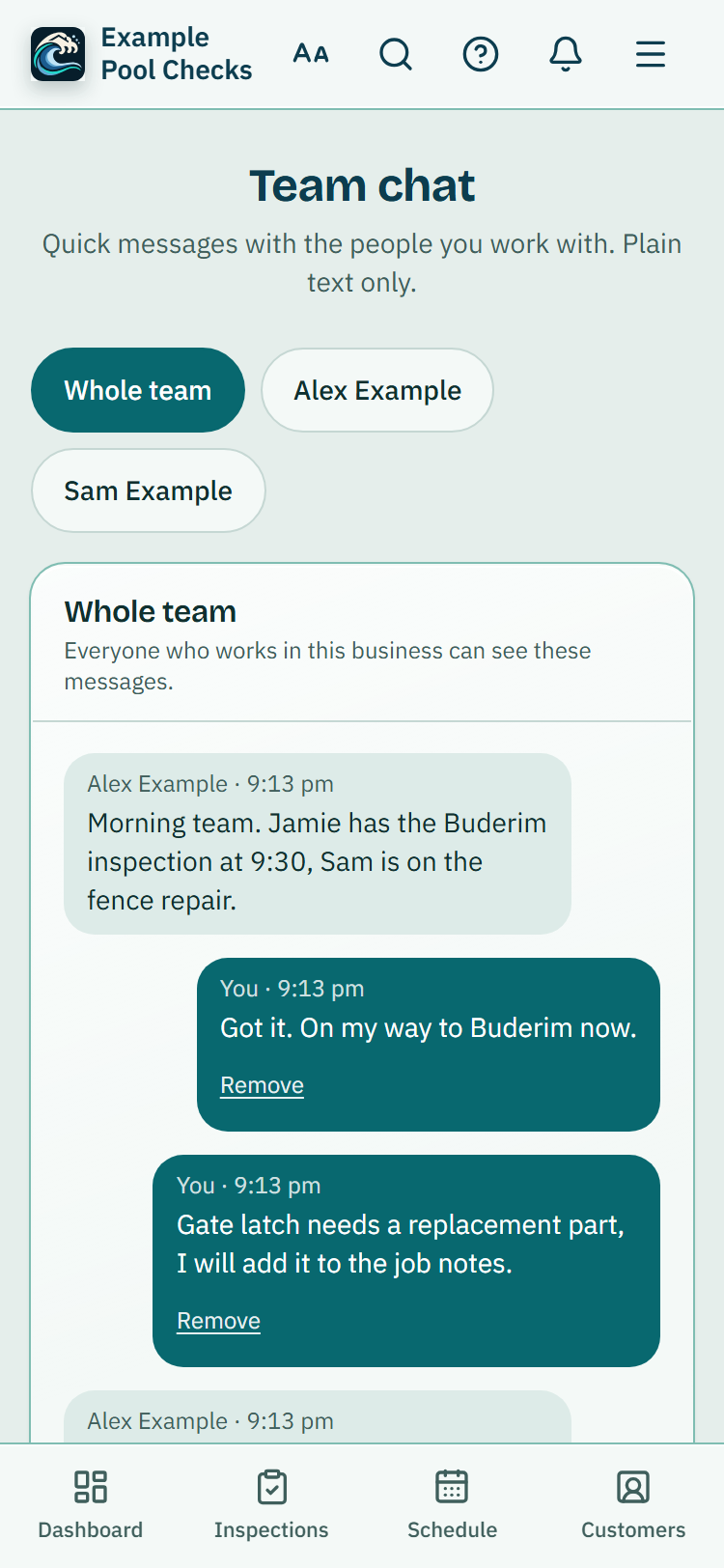
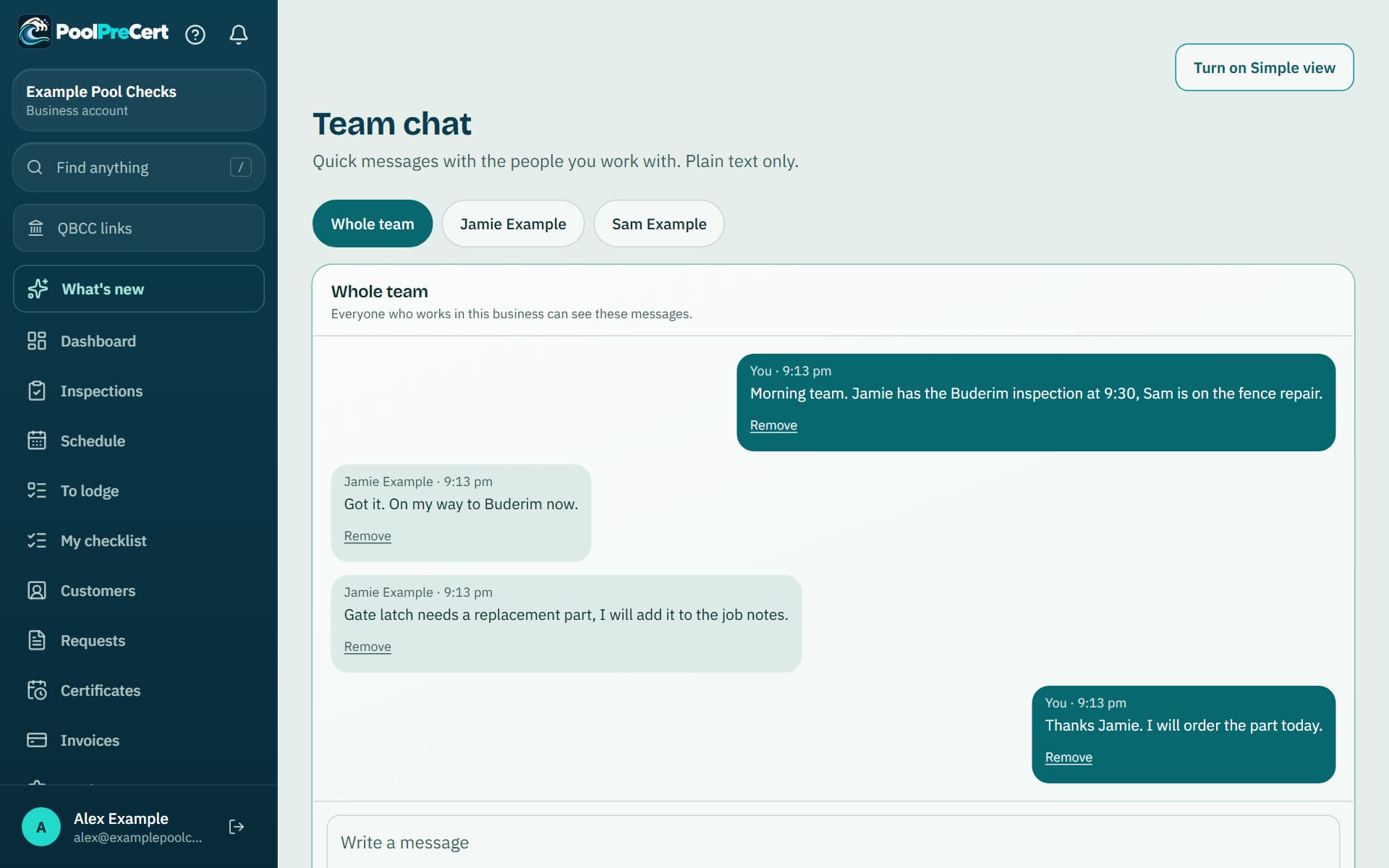
Team chat is a simple message board for the people who work in your business. There is one room for the whole team, and you can write to one person on their own. Messages are text only.
Read more
You see how many you have not read, and you get one notice for a run of messages. It shows once two or more people in your business can chat.
Pilot offer: the first 20 businesses to sign up get 3 months at no charge (no card needed), then 25% off for as long as you stay a member. 17 of 20 places left. How it works
 Pilot offer: the first 20 businesses to sign up get 3 months at no charge (no card needed), then 25% off for as long as you stay a member. 17 of 20 places left.
The demo is your own private copy with made-up example data. No sign-up, and it's deleted automatically.
Prices include GST.
What you get with Team chat
The Whole team room and private messages
The Whole team room opens first, and everyone in your business who can chat reads and writes in it. To write to one person, tap their name above the messages. Only the two of you can read those messages. Not even the owner can.
Read more
Messages are plain text of up to 2000 characters, with the newest at the bottom and the latest 100 shown. A link that starts with https is clickable and opens in a new tab. Anything else, including anything that looks like code, is shown exactly as typed.
Unread counts and notices
A number on the Team chat menu link, and on each person's name and the Whole team button, shows how many messages you have not read. Opening a room reads it.
Read more
You also get one notice in the bell for a run of messages, not one for every message. Settings, Notifications has a Team chat row to turn the notice off. Owners and administrators can also get one email if a message is still unread after about 15 minutes. The email says how many are waiting and never repeats what they say.
Taking a message back
To take a message back, press Remove under it and confirm. It then shows as Message removed for everyone and the words are cleared for good. Staff can remove their own messages, and owners and administrators can remove any message in a room they can see.
Read more
Messages cannot be edited, only removed.
Who can use it
Owners, administrators and inspectors in a business with more than one person can use Team chat. A person with the Viewer role does not see it, and a one-person business never sees it. Find it under More in the menu, and in Settings.



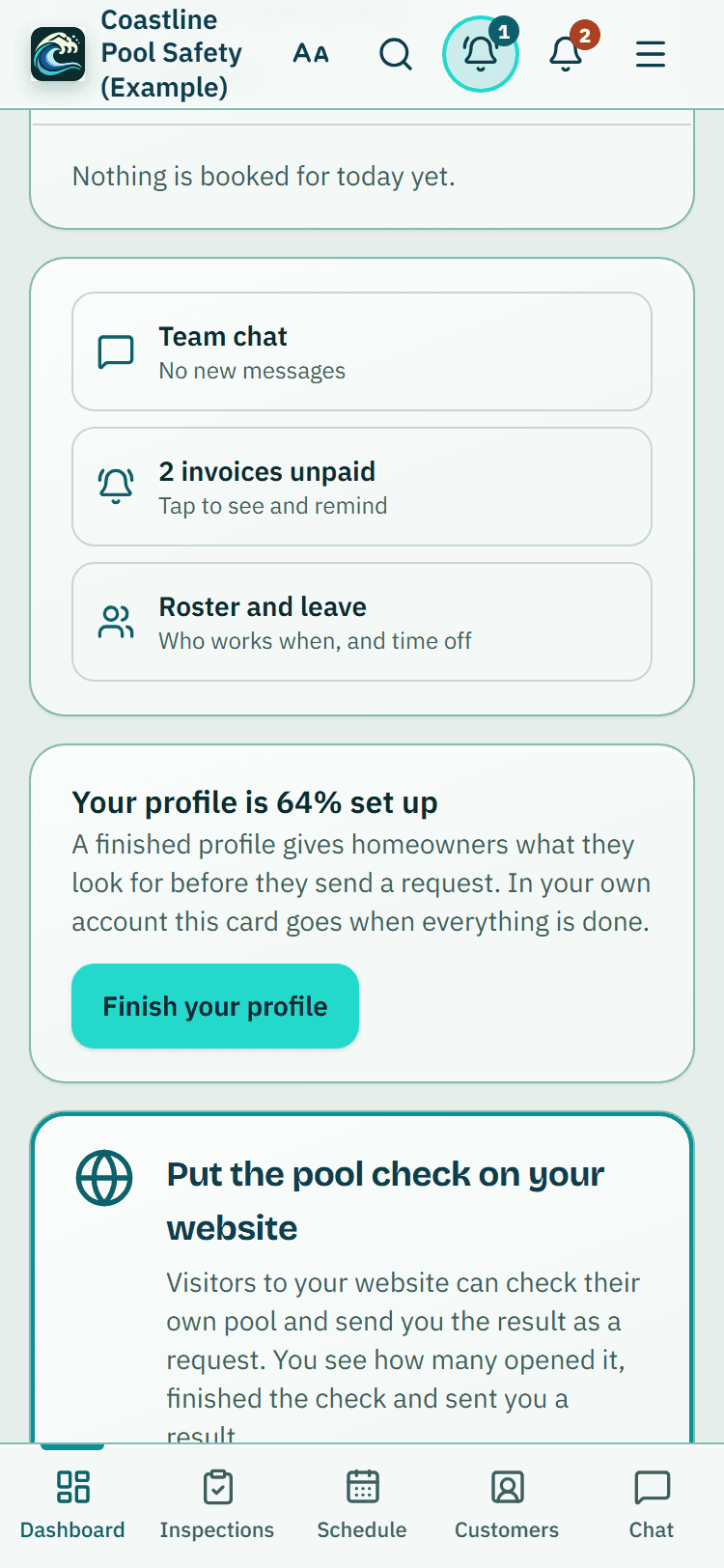
Dashboard shortcuts, example data: Team chat, unpaid invoices and the roster, one tap each. Chat is also on the bottom bar.

How to start
Open Team chat
Open it from the menu (under More on some screens) or from Settings. The Whole team room opens first.
Write to the team
Type your message and press Send. The newest message is always at the bottom.
Write to one person
Tap their name above the messages. Only the two of you can read what you write there.
Choose your notices
Open Settings, then Notifications, and use the Team chat row to turn the in-app notice or the email on or off.
What Team chat does and does not do
What it does
- Gives your team a Whole team room and private messages between two people
- Shows unread counts and sends one notice for a run of messages
- Lets anyone take back a message they sent
- Keeps messages as plain text, with no photos or files
What it does not do
- It does not send photos or files, and it does not message your customers. For customers, use the email and text features.
- It does not show who has read a message, and it does not tell you someone is typing.
- It does not send a push notification to phones. A phone learns of a message while the page is open or through the bell.
- It does not replace a phone call for anything urgent on site.

Features that go with it
Team and permissions
Invite staff by email, pick owner, administrator, inspector or viewer, and switch off prices, downloads or deleting for one person.
Roster and time off
One week at a time: each person's usual hours, approved time off and your days closed, with time off requests the owner or an admin answers.
Schedule
Your jobs by day, week or month, with drag and drop, repeat visits, clash warnings, best order for the day and a private calendar link.

Step by step instructions: Help centre. All features are listed on the features page.
Common questions
Why can't I see Team chat?
It only shows when your business has more than one person who can chat, and not for the Viewer role. Ask your owner to check your role under Team.
Can the owner read private messages?
No. A private message is seen only by the two people in it.
Can I edit a message?
No. You can remove a message you sent, and it then shows as Message removed for everyone.
Can the owner switch Team chat off?
Yes. Under Settings, Team tools the owner can switch it off for the whole business and back on later. The messages are kept.
Will I get an email for every message?
No. Owners and administrators get at most one email for a run of messages that stayed unread for about 15 minutes, and no more than one chat email every 3 hours. You can switch it off under Notifications.

What it needs and what it costs
Team chat is part of the business plans and trials; see the plans and prices for what each plan lists. See the plans and prices. The first 20 businesses to sign up get 3 months at no charge, no card required. Prices include GST. Start 3 months at no charge
Try it before you pay
The first 20 businesses to sign up get 3 months at no charge, no card required. Prices include GST. The demo at the top of the page needs no sign-up.