

For pool safety inspectors, fence contractors and pool builders
Claim and edit your pool business listing
Pool safety inspectors, pool fence contractors and pool builders with a QBCC licence usually have a listing in the PoolPreCert directory already, built from the public register.
Read more
Claim your pool business listing to add your phone, website, areas and a short description. Claiming has no charge.
Pilot offer: the first 20 businesses to sign up get 3 months at no charge (no card needed), then 25% off for as long as you stay a member. 17 of 20 places left. How it works
 Pilot offer: the first 20 businesses to sign up get 3 months at no charge (no card needed), then 25% off for as long as you stay a member. 17 of 20 places left.
The demo is your own private copy with made-up example data. No sign-up, and it's deleted automatically.
Prices include GST.

What you get with Directory listing
What is there before you claim your listing
The PoolPreCert directory lists pool safety inspectors, pool fence contractors and pool builders across Queensland. Listings nobody has claimed come from QBCC's public register. A few also carry details the business publishes on its own website.
Read more
Each one shows the date it was checked, says it is not yet confirmed by the business, and has a link to report a mistake.
Claiming puts you in charge of the details. A person checks your licence on QBCC's public search before the claim is approved, except that an inspector claim whose typed licence holder's name matches the listing exactly, with nobody else claiming it, can be approved straight away. A confirmed listing carries a badge: Listing confirmed by inspector, or Listing confirmed by the business for fence contractors and builders. A business holding a pilot place also shows a Founding member badge, which does not change the order.
What your pool inspector or contractor listing shows
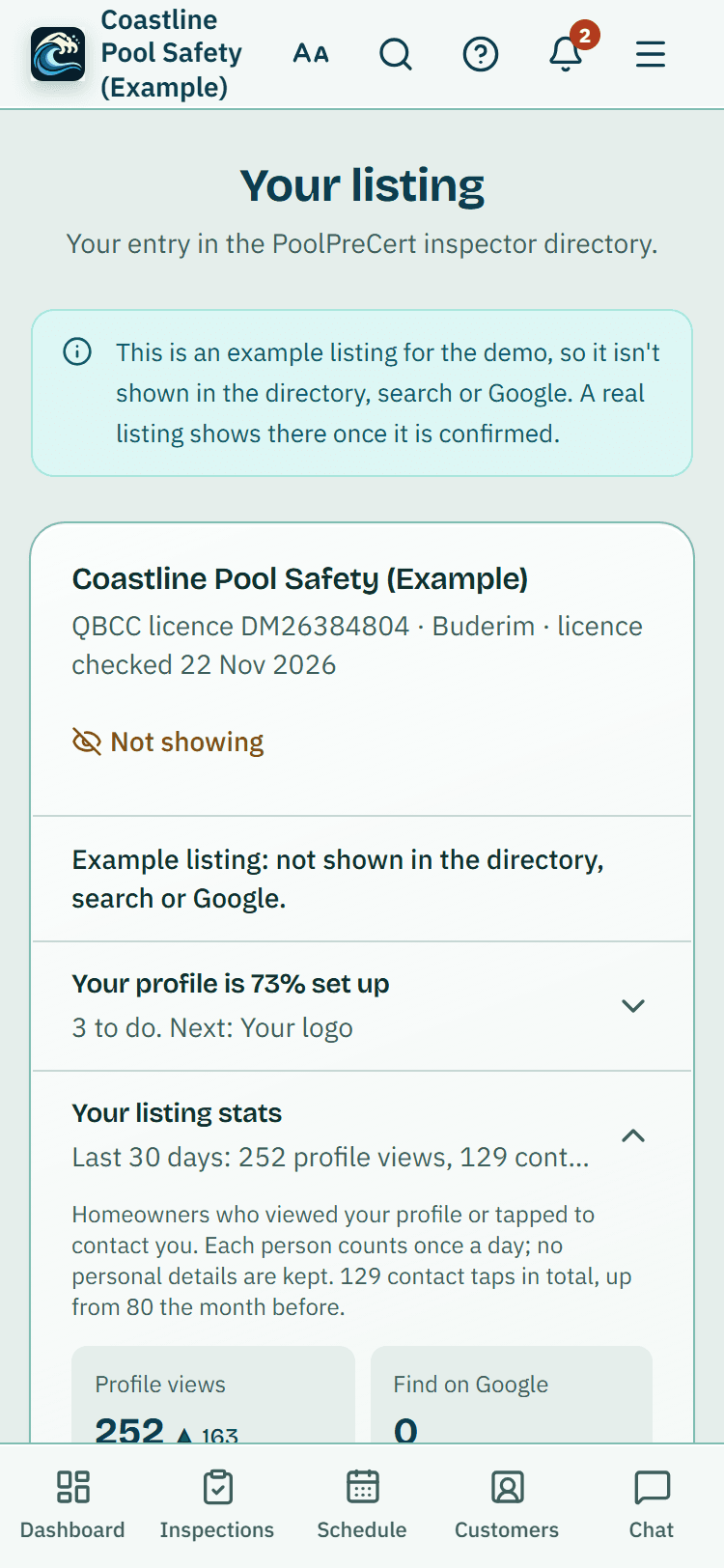
You choose most of this on the Directory listing page. Only your suburb is shown, never your email.
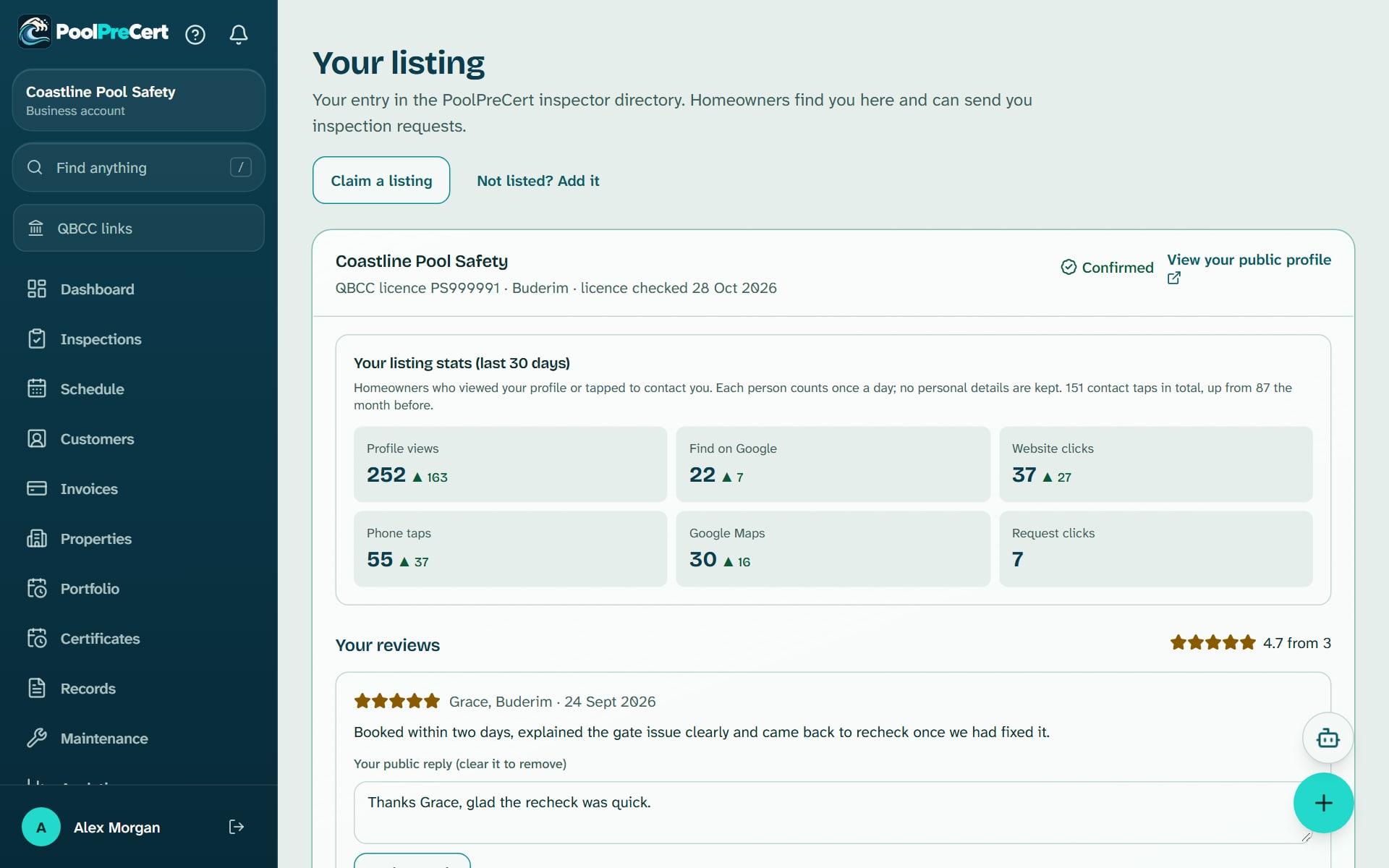
- Business name, QBCC licence number and licence status, with the date the status was last checked.
- Your phone and website, with a request button if you take requests.
- About your business (up to 1,200 characters), the services you offer and your years of experience.
Read more
- The councils you cover and how far you travel. Leave the distance blank and we use 40 km.
- Your logo, which comes from Settings, Business and branding.
- Inspectors can add a starting price and a typical wait. Inspectors can also choose to show the street address from the register. Fence contractors and builders never have a street address published.
- Your verified reviews, with your replies.
- Optional extras: your Google rating (a membership feature), an Also does pool surrounds line for fence contractors and builders, and a line linking your inspector and trade listings if you hold both.
How listings are ordered in your suburb
On a suburb page, businesses with the most details filled in come first: a phone number, a website and a confirmed listing. Within those groups each business gets a score. Distance counts for 45%, verified reviews for 35% and how complete the listing is for 20%.
Read more
A council page has no single address, so reviews count for 60% and completeness for 40%.
Complete means confirmed by you, licence status checked in the last 90 days, and a phone or website added. No reviews counts as neutral. Among fence contractors, those who confirmed their listing and ticked a pool fence service are shown first. Paying never changes this order. Sponsored cards, if any, sit above the list, labelled and apart.
Pause, hide or step away from your listing
You stay in control of when people can reach you.
- Untick the box to receive inspection requests (quote requests for fence contractors and builders) and your listing stays visible without the request button.
- Tick Pause requests for now when you are fully booked. Your listing stays in the directory.
- Open the Away until row under your listing to pick the date you are back and add a short line. Requests pause until then, and start again by themselves. Press End it now to stop early.
Read more
- Press Hide my listing to take it out of the directory, search and Google. Press Show my listing again to bring it back. If PoolPreCert hid it, you cannot show it yourself.
Your numbers
Each listing has a card called Your listing stats (last 30 days). It counts profile views, phone taps, website clicks and request clicks, and compares them with the 30 days before. Each person is counted once a day and no personal details are kept.
Read more
Fence contractors and builders also see a checklist showing how complete the listing is.


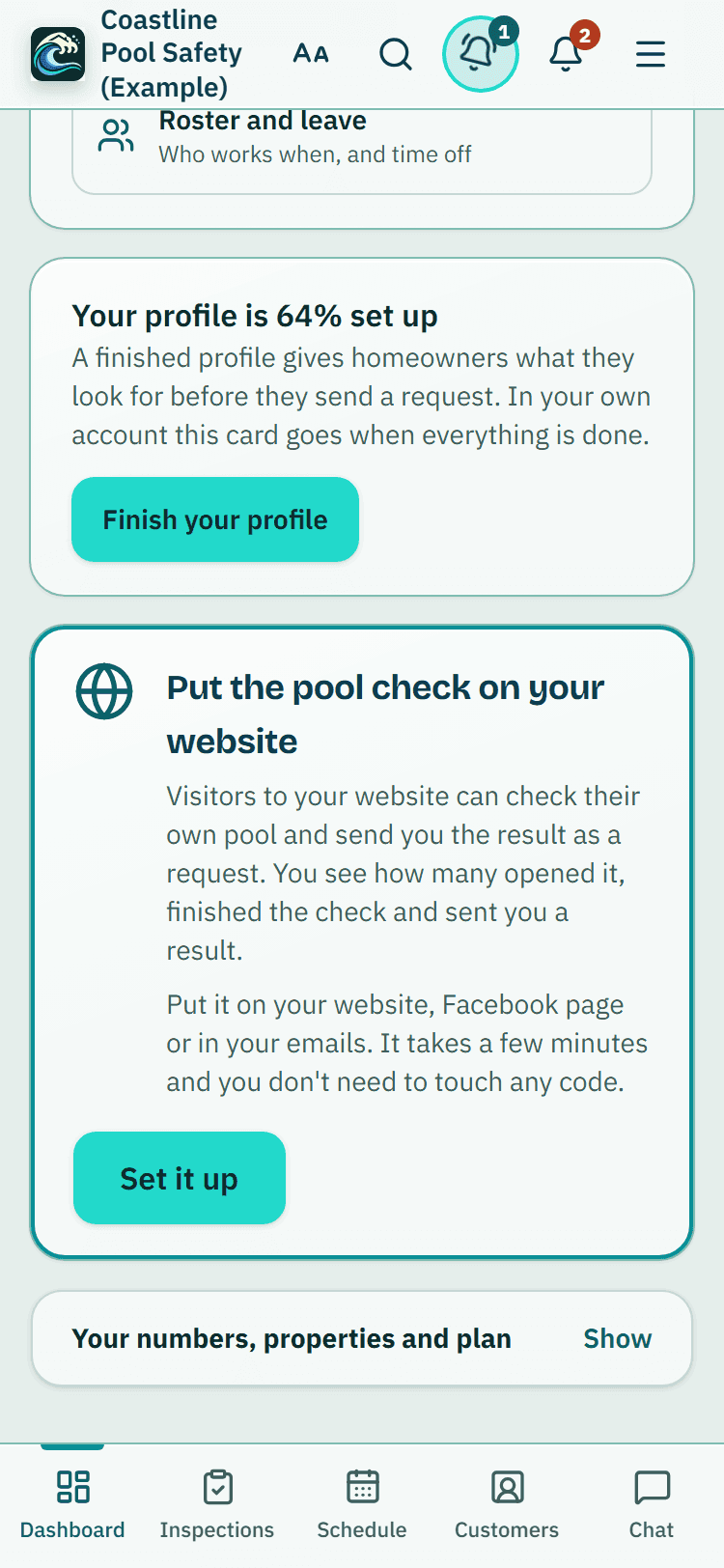
The dashboard's Finish your profile card, example data, with the Website button card below it.

How to start
Find your licence
Sign in with a business account, open Directory listing and press Find and claim your listing. Type your QBCC licence number or business name, then press Find my business.
Claim it
Press This is me, check the details that are filled in, then press Send claim. Not listed? Press Not listed? Add your business.
Wait for the check
A person checks your licence on QBCC's public search, usually within 2 business days. Your claim shows under Claims as Waiting for review, then Approved. Inspectors: when the licence holder's name you typed matches your listing exactly, it is approved straight away.
Fill in the page
Add your phone, website, about text, services and councils, tick the request box if you want requests, and press Save listing.
See it as a homeowner
Press View your public profile.
What Directory listing does and does not do
What it does
- Starts you with a listing built from QBCC's public register
- Shows your phone, website, areas, services and verified reviews
- Lets you pause requests, step away or hide the listing
- Counts profile views, phone taps and website clicks for 30 days
What it does not do
- It does not change or confirm your QBCC licence. Licence status comes from public data and always shows the date it was checked.
- It does not let you pay for a better place in the list.
- It does not recommend or vouch for your business, and it does not promise any requests.
- It does not let team members without owner or admin rights change the listing.

Features that go with it
Requests inbox
Requests from your directory listing, self-checks and Website button arrive in one inbox, with the homeowner's details, message and status steps.
Verified reviews
Homeowners whose request you marked booked or done get one invitation to review you. Reviews show on your listing and you can reply in public.
Boost your profile
Show your listing in a labelled Sponsored space above the list on council and suburb pages you choose. One fixed price an area, no bidding, no promised results.
Website button
A link, QR code, poster and button for your own website. A visitor does their own pool check and can send you the result. You see counts, not names.




Guides that give the background
Step by step instructions: Help centre. All features are listed on the features page.
Common questions
How do I claim my business listing?
Sign in with a business account, open Directory listing and press Find and claim your listing. Type your QBCC licence number or business name, press This is me, then Send claim. Approval can be instant or take 2 business days, and any note from the team appears under your claim.
Does it cost anything to be listed?
No. Claiming and keeping a listing has no charge. Requests, the Website button and Posts come with the business plans: Starter is $49 a month and Business is $99 a month (incl. GST). The first 20 businesses to sign up get 3 months at no charge (no card needed), then 25% off for as long as you stay a member. After the places are gone, plans start with a 14-day trial, no card required.
Is my QBCC licence shown, and how is it checked?
Your listing shows your licence number and licence status, with the date the status was last checked. The status comes from public data. A person checks your licence on QBCC's public search before a claim is approved, unless it is an inspector claim whose typed licence holder's name matches the listing exactly; that one is approved straight away and the licence status and date are left as they were.
What can I change on my listing?
Your phone, website, about text, services, the councils you cover and how far you travel. Your logo comes from Settings, Business and branding. Press Save listing after you change anything.
How are listings ordered, and can I pay to be first?
On a suburb page, businesses with a phone number, a website and a confirmed listing come first. Within those groups the score counts distance, verified reviews and how complete the listing is. Payment never changes it. Boost your profile adds a labelled Sponsored card above the list, which is separate.
I cannot find my business. What now?
Try your licence number exactly as it appears on your QBCC licence. If you are still not listed, press Not listed? Add your business and we will check your licence.

What it needs and what it costs
Claiming and keeping a directory listing has no charge. Getting requests from it needs a plan or trial that includes requests. See the plans and prices. The first 20 businesses to sign up get 3 months at no charge, no card required. Prices include GST. Start 3 months at no charge
Try it before you pay
The first 20 businesses to sign up get 3 months at no charge, no card required. Prices include GST. The demo at the top of the page needs no sign-up.