

For pool safety inspectors, fence contractors and pool builders
Advertise your pool business by suburb with a labelled Sponsored card
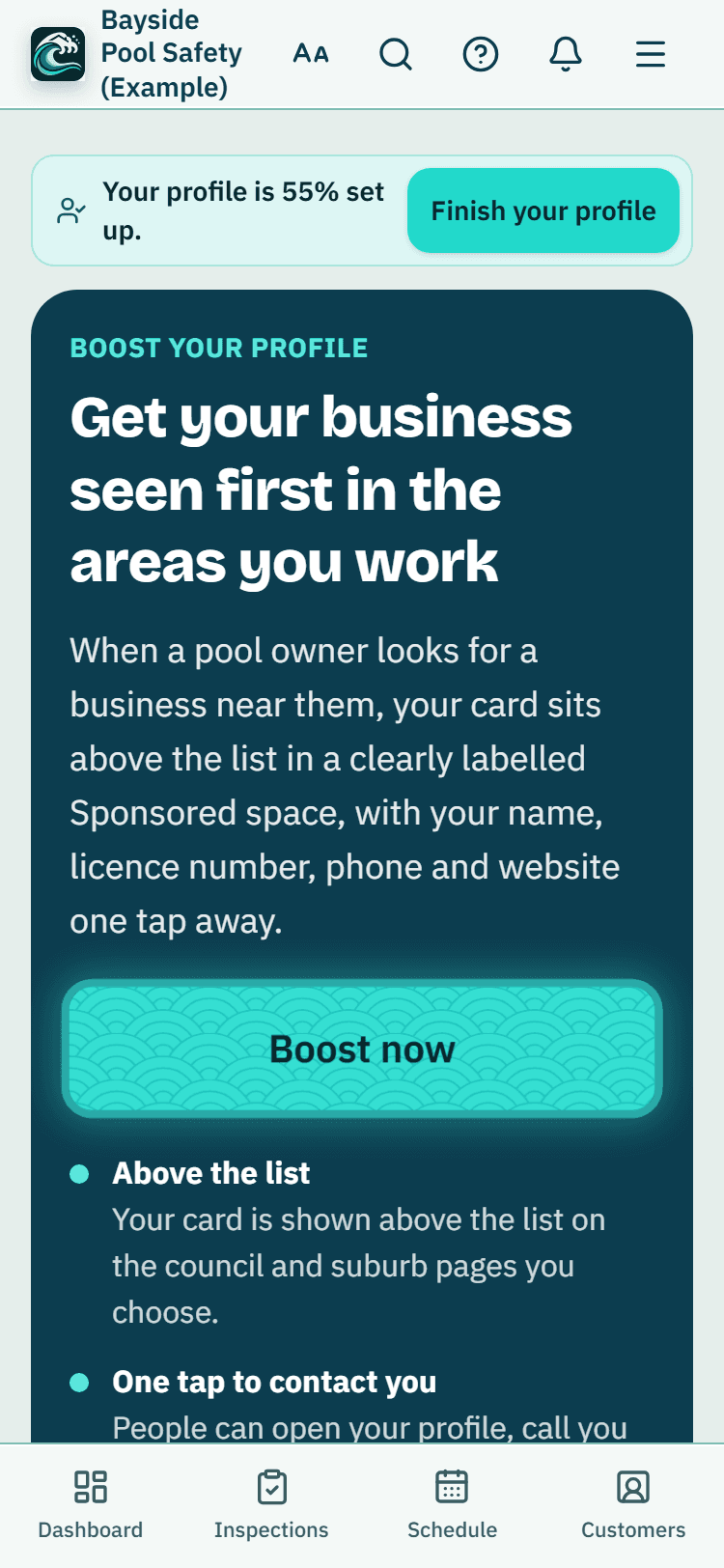
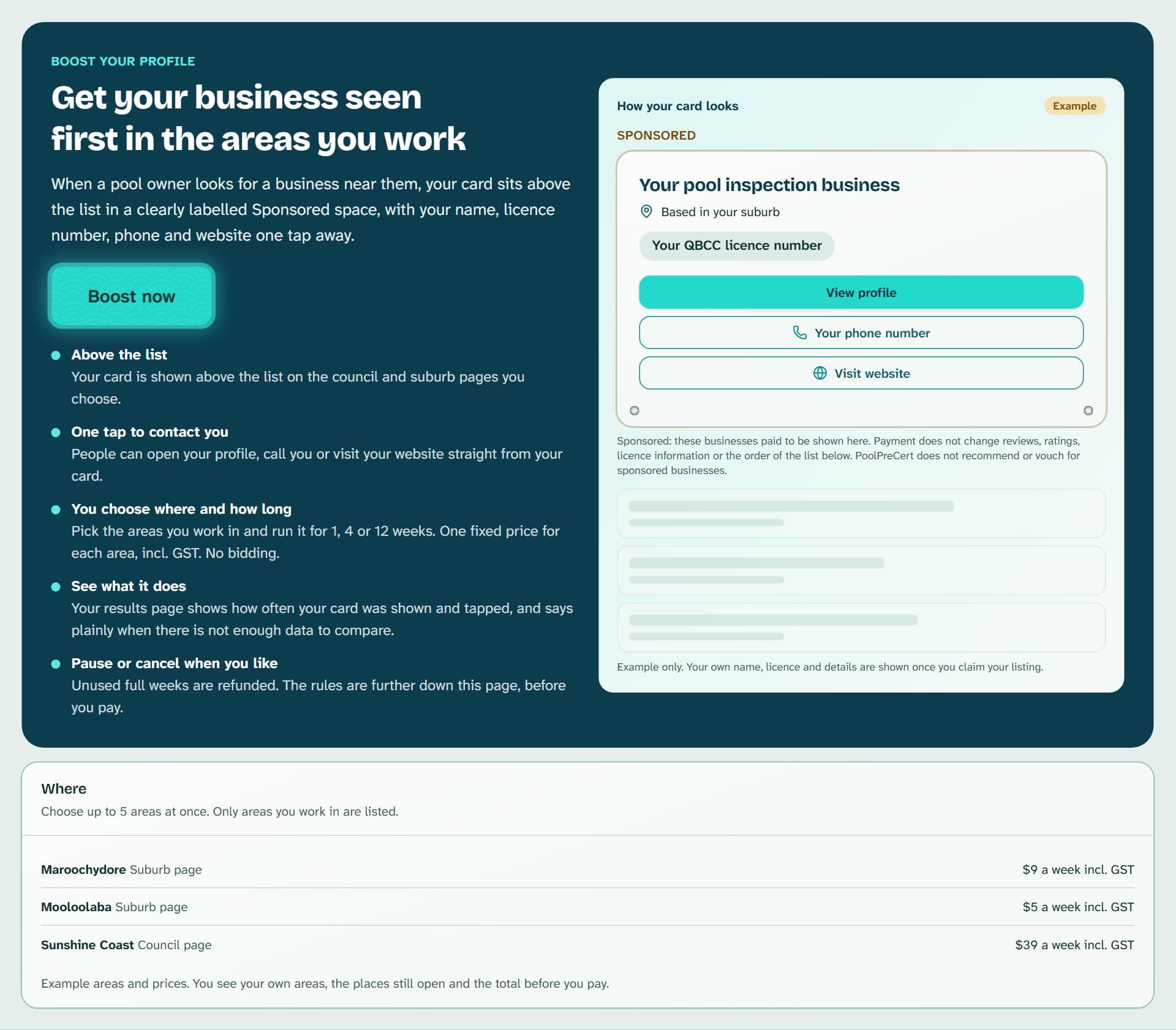
Boost your profile lets you advertise your pool business in a space labelled Sponsored, above the list, on the council and suburb pages you choose, for 1, 4 or 12 weeks. You pay one fixed price for each area, incl.
Read more
GST. Payment does not change reviews, ratings, licence details or the order of the ordinary list.
Pilot offer: the first 20 businesses to sign up get 3 months at no charge (no card needed), then 25% off for as long as you stay a member. 17 of 20 places left. How it works
 Pilot offer: the first 20 businesses to sign up get 3 months at no charge (no card needed), then 25% off for as long as you stay a member. 17 of 20 places left.
The demo is your own private copy with made-up example data. No sign-up, and it's deleted automatically.
Prices include GST.

What you get with Boost your profile
How a Sponsored listing works
People often call this a featured listing. Here it is labelled Sponsored. Your card sits above the list under that word. It shows your name, licence number and status, suburb, phone, website and a View profile link.
Read more
Up to two sponsored cards show on a page, and up to four businesses can be sponsored in one area. They take turns every few hours, so each gets an equal share of the time. Your card shows only on pages for your own kind of business.
Who can advertise their pool business here
Boost your profile is for owners and administrators of inspector, fence contractor and pool builder accounts. The page checks these things when you pay, when the card starts and while it runs.
- Your listing is claimed and confirmed, and not hidden.
- Your licence shows as current in our records. For inspectors it must also have been checked in the last 90 days.
- You work in the area. The areas listed come from the councils you cover on your listing.
Read more
- You have no more than five boosts running at once, and not two in the same area.
- You are on the website. The Android app does not sell it, and demo workspaces cannot buy.
Choose the suburbs where you want to be seen, then pay
The price depends on whether it is a council or suburb page and how big the area is, with larger areas costing more. Booking 4 or 12 weeks costs less a week. A council page does not include its suburbs, so each suburb is bought on its own.
Read more
Every area shows its price, how many places are open and, where we have it, the certificates lodged in the last 12 months with the date of that data.
You check the total, which includes GST and shows when it ends, then press Pay with card. You pay on Stripe's page and get a tax invoice. It starts as soon as the payment goes through. Nobody can bid, and nobody can buy a whole page.
Pause, cancel and get a refund
Pause stops your card at once, and the end date moves later by the days you paused. You can pause for up to 14 days in total. Cancel before your card has been shown for a full refund.
Read more
Cancel while it is running and you get back the full weeks you have not used, but not the week in progress.
If we cannot show your card, or your licence stops showing as current, it stops and you get the unused time back to the card you paid with.
What a Sponsored card does not change
A line under the cards says sponsored businesses paid to be shown, that payment does not change reviews, ratings, licence information or the order of the list, and that PoolPreCert does not recommend or vouch for them.
Read more
Your reviews, ratings, licence details and place in the ordinary list stay as they are. A Sponsored card is not a recommendation.
Read your results
Open results on a boost to see how often your card was shown and how often it was tapped. A card counts as shown once per visitor per day, only after it was on screen for about a second, and search engines are ignored.
Read more
Your whole listing's views, phone taps and website clicks are shown too, compared with the four weeks before.
A percentage change appears only after 7 days and at least 10 events in each period. Until then you see counts and a note. Other things change at the same time, such as the season, new reviews and other businesses, so a change does not show the boost caused it.



How to start
Open Boost your profile
Choose Boost your profile in the menu. If something stops you, the page says what it is and what to do.
Pick how long
Choose 1, 4 or 12 weeks.
Tick your areas
Tick the councils and suburbs where you work. You can use the Find a suburb or council box to search.
Check and pay
Look at the total, which is incl. GST, then press Pay with card.
Follow it
Under Your boosts, press Open results, or use Pause, Resume and Cancel.
What Boost your profile does and does not do
What it does
- Shows your card in a space labelled Sponsored, above the list
- Lets you pick the councils and suburbs, for 1, 4 or 12 weeks
- Charges one fixed price for each area, incl. GST
- Lets you pause, resume or cancel and read your results
What it does not do
- It does not promise any views, calls, requests or bookings.
- It does not change your reviews, ratings, licence details or your place in the ordinary list.
- It does not let you bid, or pay to be shown in an area where you do not work.
- It is not a PoolPreCert recommendation. Sponsored cards say so.

Features that go with it
Directory listing
Your QBCC licence probably has a listing already. Claim it, add your details and areas, and homeowners can find you, call you and send requests.
Verified reviews
Homeowners whose request you marked booked or done get one invitation to review you. Reviews show on your listing and you can reply in public.
Social media posts
Ready-made pictures and captions for Facebook, Instagram and Google Business Profile, filled in with your details. You change the words and post them yourself.
Insights
Council and suburb numbers from QBCC's public register (an August 2024 extract) and PoolPreCert activity for inspectors, and listing numbers for contractors and builders.


Guides that give the background
Step by step instructions: Help centre. All features are listed on the features page.
Common questions
How much does it cost to advertise?
The price for each area is shown on the Boost your profile page, incl. GST, before you pay. Larger areas cost more and longer periods cost less a week. There is no bidding.
Is it clearly labelled as paid?
Yes. The card sits above the list under the word Sponsored, with a line saying sponsored businesses paid to be shown and that PoolPreCert does not recommend or vouch for them.
Does paying change my reviews, ratings or place in the list?
No. If you are in the ordinary list now, you stay there, and the page tells you your current position for an area you choose. Your Sponsored card is shown as well.
Will it get me more pool inspection jobs?
We cannot promise that. Your results page shows plain counts and says when there is not enough data to compare.
How do I see results, and can I stop?
Press Open results on a boost to see how often your card was shown and tapped. You can pause for up to 14 days in total, resume, or cancel. You can also choose 1 week for any area.
What if my licence lapses while it runs?
The card stops and you get back the unused time. We check your licence status when you pay, when the card starts and while it runs.

What it needs and what it costs
A boost is bought separately for each area, incl. GST, and needs a claimed listing. It does not depend on a plan or trial. See the plans and prices. The first 20 businesses to sign up get 3 months at no charge, no card required. Prices include GST. Start 3 months at no charge
Try it before you pay
The first 20 businesses to sign up get 3 months at no charge, no card required. Prices include GST. The demo at the top of the page needs no sign-up.