

For property managers
Property visit records for your rentals, beside each pool's certificate date
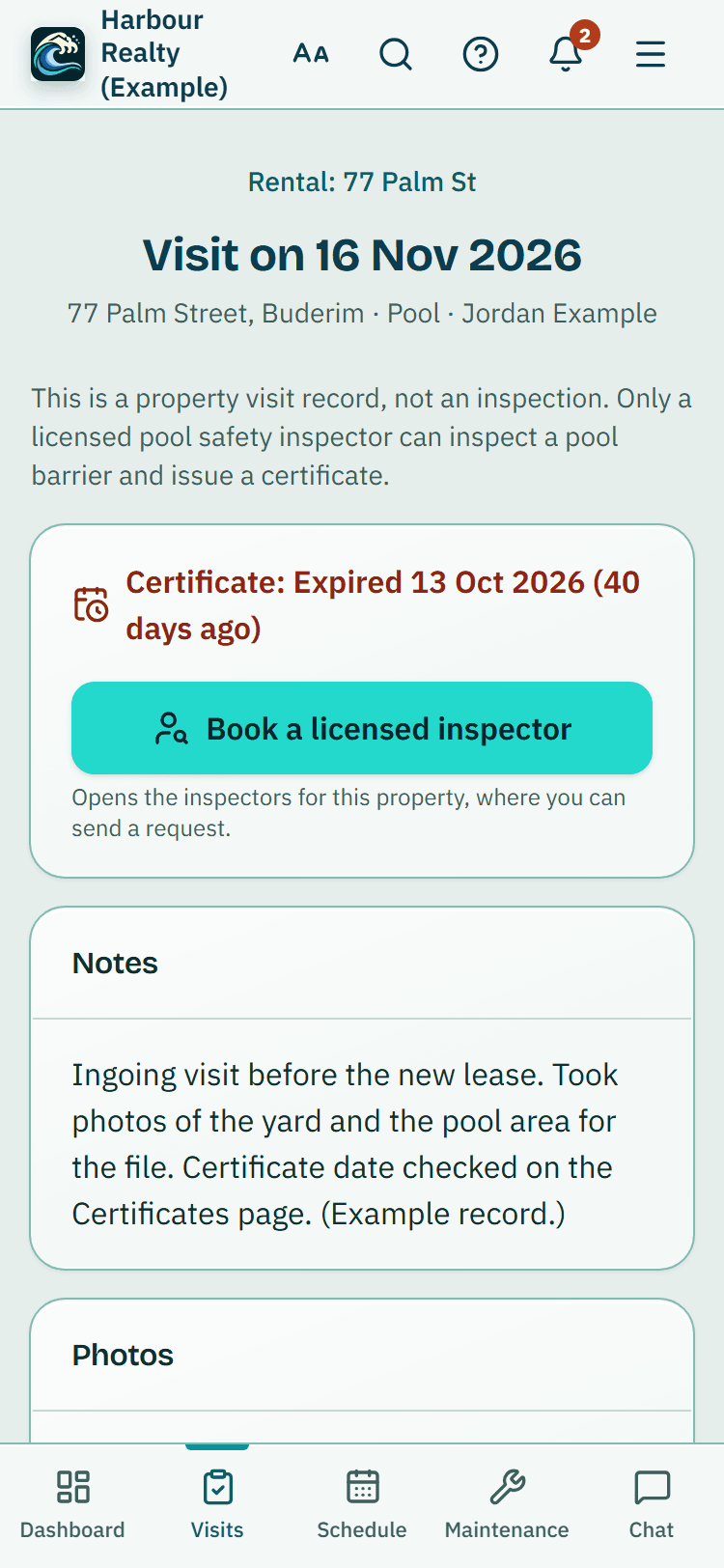
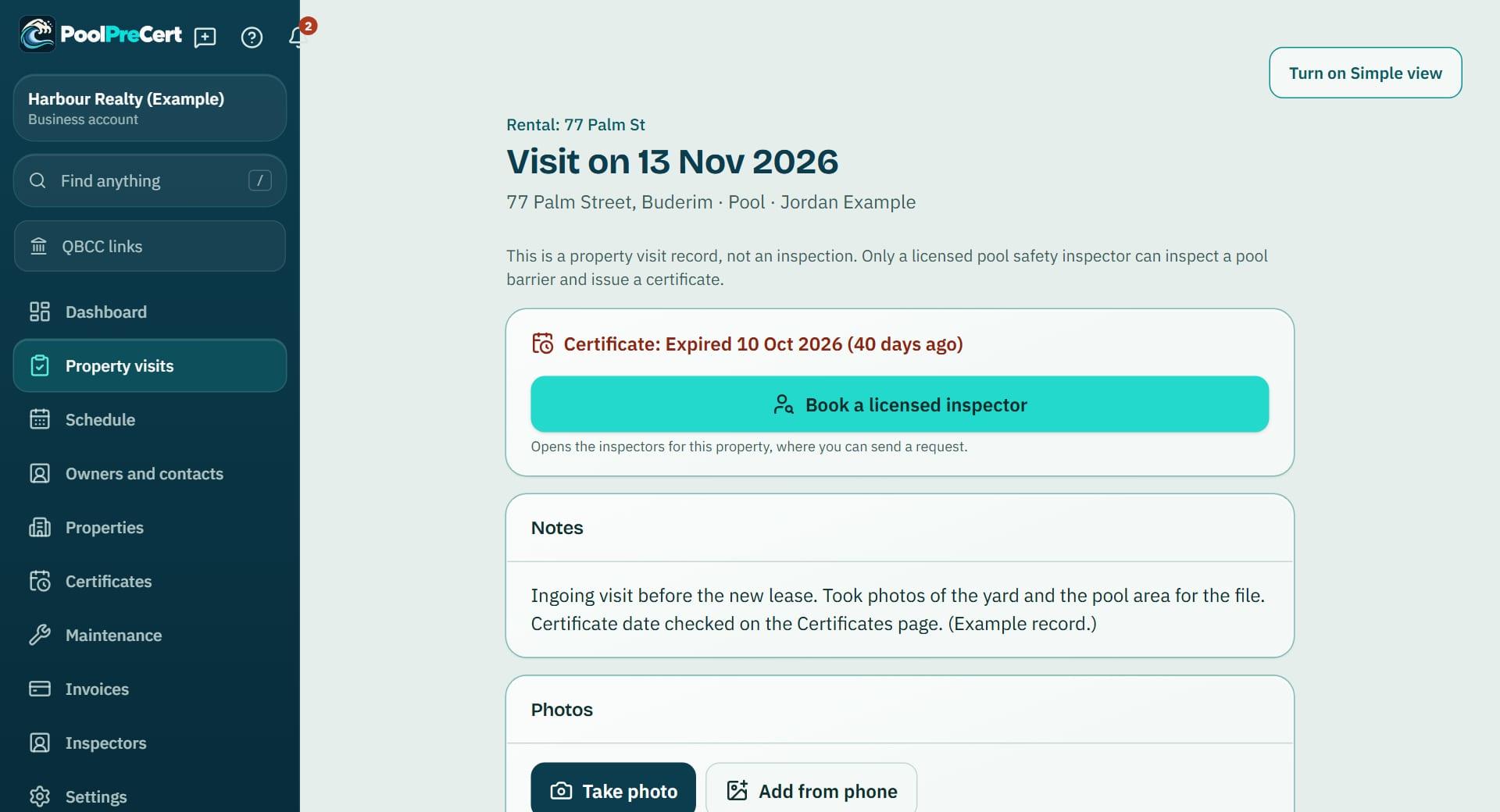
A real estate agency or property manager can record each visit to a rental: the date, who went, notes and photos. The visit shows the pool's certificate expiry date beside it, read-only, and a big Book a licensed inspector button.
Read more
It is a property visit record, not an inspection: there is no checklist and no result, and only a licensed pool safety inspector decides about a pool.
Pilot offer: the first 20 businesses to sign up get 3 months at no charge (no card needed), then 25% off for as long as you stay a member. 17 of 20 places left. How it works
 Pilot offer: the first 20 businesses to sign up get 3 months at no charge (no card needed), then 25% off for as long as you stay a member. 17 of 20 places left.
The demo is your own private copy with made-up example data. No sign-up, and it's deleted automatically.
Prices include GST.

What you get with Property visit records
Record a visit in a few taps
In an agency account, press Record a visit on the property page, from Property visits in the menu (Visits at the bottom of a phone screen), from the + button or from Simple view. Pick the property, and the pool when there is more than one.
Read more
The date is today unless you change it; a date in the future is not accepted. Who went is you unless you pick someone from your team or type any name, for example a contractor. Then add your notes.
Photos that wait for signal
Add photos to the visit from your phone. If there is no signal at the property, they are kept on the phone and upload when you are back online, the same way inspection photos do. Photos stay private to your business.
The pool's certificate date, and booking an inspector
Each visit shows the pool's current certificate expiry date, read-only, in the same amber and red as the Certificates page when it is close or has run out. Certificate dates still come only from the certificates you record.
Read more
The big Book a licensed inspector button opens the property's request panel, where you send a request to your usual inspector or find another. A visit never stands in for a pool safety inspection.
Where visits show
Visits are listed newest first on the property page and under each of its pools, on Property visits, in Simple view and on the Records page, which can export them as a CSV file.
Read more
To plan a repeat visit, use Add a repeating visit on the property; it appears in Schedule as a Property visit.
Routine checks recorded before property visits replaced them are kept and open as they were, under Earlier routine checks.




How to start
Open the property
Go to the rental's property page, or Property visits in the menu.
Press Record a visit
Pick the pool if the property has more than one.
Fill in the visit
Check the date and who went, then add notes and photos.
Book an inspector if needed
Press Book a licensed inspector to send a request from the property page.
What Property visit records does and does not do
What it does
- Records a visit to a rental: the date, who went, notes and photos
- Shows the pool's certificate date beside the visit
- Has a Book a licensed inspector button
- Keeps photos waiting until the signal returns
What it does not do
- It is a property visit record, not an inspection, a certificate or a licensed inspection. Only a licensed pool safety inspector decides about a pool.
- There is no pool barrier checklist, no measurements and no result.
- It does not change certificate dates: those come from the certificates you record.
- It does not lodge anything with QBCC or keep QBCC records.

Features that go with it
Certificate portfolio
Each pool you manage with its certificate date and an optional PDF or photo of it, filters, CSV and PDF downloads, a calendar link and reminders at 60 days, 14 days and on the day.
Schedule
Your jobs by day, week or month, with drag and drop, repeat visits, clash warnings, best order for the day and a private calendar link.
Smoke alarm dates
Agency accounts keep a smoke alarm date for each rental and email the team before each tenancy or on a chosen date. PoolPreCert reminds you. It does not test or check alarms.
Reports and exports
A branded PDF report with photos and a private link for inspectors, a short summary for agencies, and CSV, PDF, ZIP and accountant exports for everyone.


Guides that give the background
Step by step instructions: Help centre. All features are listed on the features page.
Common questions
Does a property visit record replace a pool safety certificate?
No. It is your own record of a visit, not an inspection, and it says so on every screen. A pool safety certificate comes only from a licensed pool safety inspector.
Can I take photos on my phone with no signal?
Yes. Photos are kept on the phone and upload when you are back online.
Can a colleague or a contractor be the one who went?
Yes. Who went starts as you; pick someone from your team or type any name.
What happened to my earlier routine checks?
They are kept and open as before, under Earlier routine checks on the property page and in Records.
What does it cost?
Agency accounts need a plan or trial. Starter is $49 a month and Business is $99 a month (incl. GST). The first 20 businesses to sign up get 3 months at no charge (no card needed), then 25% off for as long as you stay a member. After the places are gone, plans start with a 14-day trial, no card required.

What it needs and what it costs
Property visit records are part of an agency account on a business plan, a trial or the pilot; see the plans and prices. See the plans and prices. The first 20 businesses to sign up get 3 months at no charge, no card required. Prices include GST. Start 3 months at no charge
Try it before you pay
The first 20 businesses to sign up get 3 months at no charge, no card required. Prices include GST. The demo at the top of the page needs no sign-up.