


Record a property visit
How a property manager records a visit to a rental: the date, who went, notes and photos, and where visits show afterwards, Records included. Not an inspection.
For: Property managers and agencies · Last updated 23 November 2026
What it is
A property visit is your own record of going to a property you manage: the date, who went, your notes and photos. It is kept with the property so your team can see what was found and what to follow up.
Who it is for
Agencies and property managers. Owners, admins and staff can record visits; viewers can read them.
How to do it
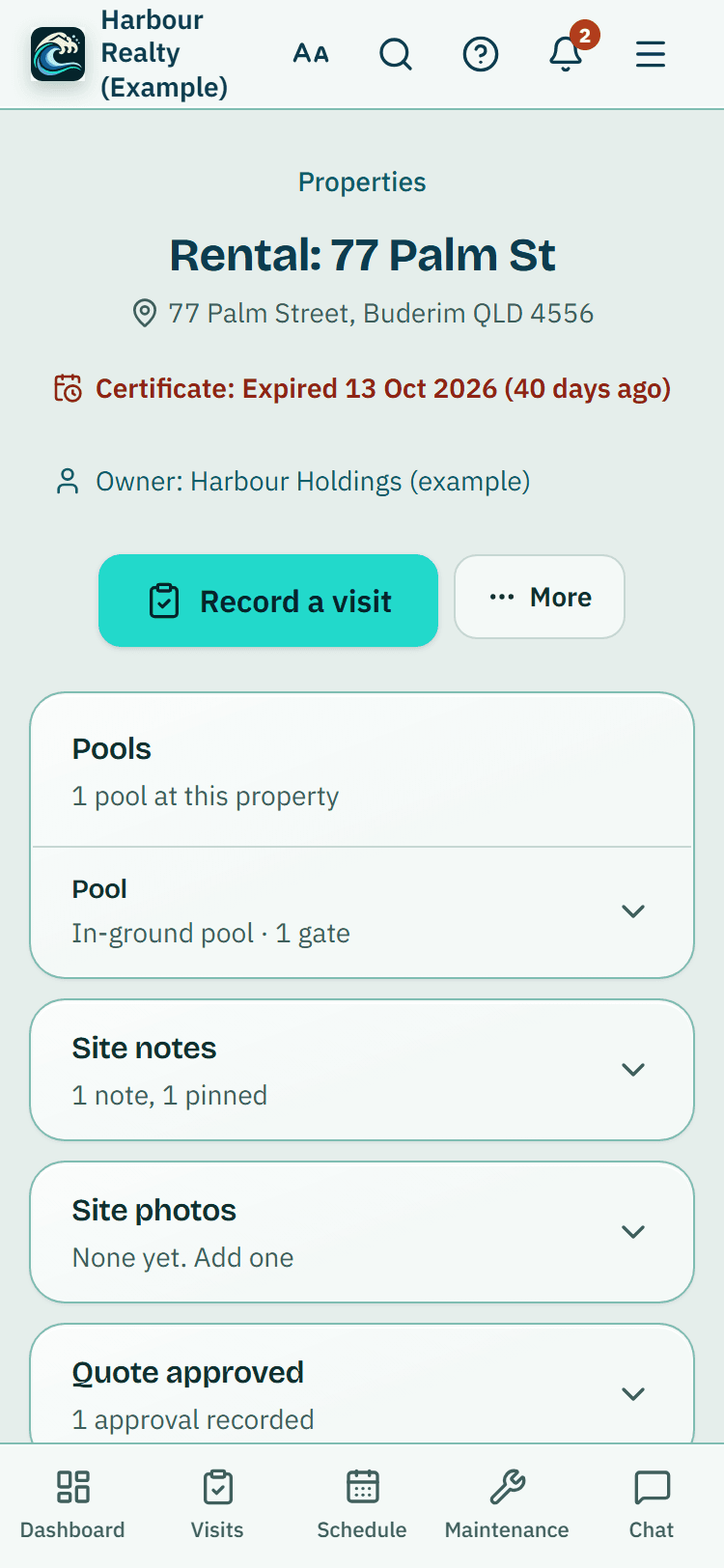
Press Record a visit on a property, or open Property visits in the menu and press Record a visit.
In Simple view it is a big button on Home. For a visit booked on your Schedule, open it and press Start the visit.
Choose the property.
If it has more than one pool, you can choose the pool, or leave it on The whole property. Check the Date of the visit.
Who went starts as you.
Pick someone else from your team, or choose Someone else and type their name.
Add notes if you like: what you saw and anything to follow up.
Then press Save visit.
On the next screen, add photos under Photos.
They are kept on your phone first and upload by themselves, even with a weak signal.
Good to know: A property visit record is your own note of the visit. It is not an inspection and has no result.
A visit booked on your Schedule
When you start from a booked visit, the form says so, and saving it marks the booked visit on your Schedule as done.
Change or archive a visit
Open the visit and use Change this visit to fix the date, who went or the notes, then press Save changes. Archive this visit takes it off your lists.
Where visits show
Visits are listed newest first on the property, under each pool, under Property visits, on the owner's page and in Records, where Export CSV downloads them. They are in your data export (Settings, Privacy & data) too.
Each visit shows the pool's certificate expiry date and a Book a licensed inspector button, which opens the inspectors for that property so you can send a request.
Records
Records, in the menu, lists your property visits newest first. Tap one to open it, or press Export CSV to download them all.
Under it are any earlier routine checks, each with its date. Tap one to open it, or press Report to download its PDF. Before you close your account, download your reports: closing it deletes your records.
What it does not do
- A visit is a property visit record, not an inspection: there is no checklist, no measurements and no result.
- It does not book an inspector or issue a certificate. Only a licensed pool safety inspector can inspect a pool barrier and issue a certificate.
PoolPreCert helps you do and record your work. It does not decide whether a pool meets the Queensland standard. Only a licensed pool safety inspector does that.
Related articles
Preferred inspectors and requesting inspections
Property managers can save preferred inspectors, set a usual inspector per property and ask for an inspection when a certificate is close to expiry.
Portfolio: every pool and its certificate date
See all your properties' pool certificate dates in one list, filter by manager or suburb, export, connect a calendar and find an inspector.
Certificates and expiry reminders
Record each pool's safety certificate dates, attach the certificate PDF or a photo of it, see the QBCC register and get reminders before expiry.



Was this helpful?
YesNo, tell us what was missing
This opens an email to the PoolPreCert team. Please do not include passwords or personal details.
Still stuck? Contact support
Email support@poolprecert.com and tell us what you were trying to do and which screen you were on. Please do not send passwords or card numbers. The PoolPreCert team will reply.