


Make social media posts
How an owner or admin makes social media posts (pictures and captions) for Facebook, Instagram and Google Business Profile, and downloads a monthly pack.
For: Pool safety inspectors, Pool fence contractors, Pool builders, Property managers and agencies · Last updated 11 November 2026
What it is
Posts gives you pictures and captions that are already filled in with your business details and facts taken from PoolPreCert's own guides.
Read more
You change any word you like, then download the picture, share it from your phone or copy the caption. We never post for you.
Who it is for
Business owners and admins of inspector, pool fence contractor, pool builder and real estate agency or property manager accounts.
Read more
Inspectors, contractors and builders need a claimed listing and a plan or trial that includes requests. An agency needs a plan or trial.
How to do it
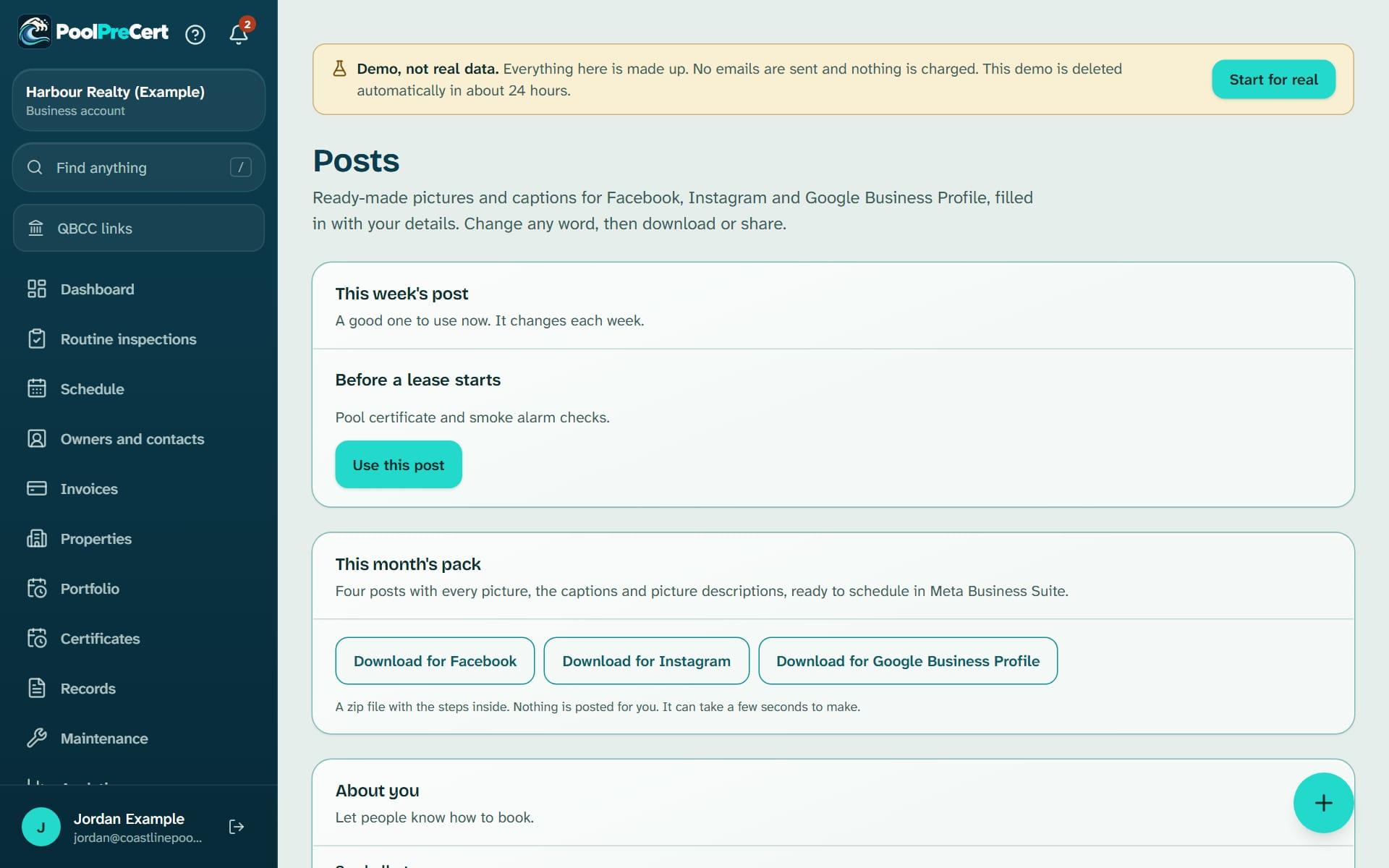
Open Posts in the menu (under More).
If something is missing, the page shows one card that says what it is and a button to fix it.
Pick a post. This week's post is at the top.
The others are grouped, for example Selling or buying, Fence tips and Your area.
Change the words.
Each picture has its own heading and text. Use the numbered buttons to move between pictures.
Choose the shape (square, tall or wide), where you are posting (Facebook, Instagram or Google Business Profile), your colour and, if you have saved one, your logo.
Press Download picture, Download all, or Share on a phone.
Press Copy caption, then paste it into your post. Press Copy picture description for the alt text box.
Or press one of the Download for buttons under This month's pack.
You get a zip with four posts, every picture, the captions and short steps for scheduling them in Meta Business Suite.
What is on the picture
Your business name, your colour and your logo from Settings, Business & branding. The source of the facts is printed small on every picture. A line saying Find a licensed inspector at poolprecert.com and a QR code are on by default and you can switch them off.
Your caption ends with a link to a PoolPreCert page and, if you have a directory listing, to your own profile, so people can find you. We ask you to leave those links in.
Where I'm working this week
Inspectors and pool fence contractors also see a post built from the suburb names of the jobs in their Schedule for the next 7 days. Only the suburb names are used. Check you are happy to publish them before you use it.
Google Business Profile
Google posts are shorter, have no hashtags and stay up for 7 days, so one a week keeps your profile current. When you make the post in Google, choose the Call now or Learn more button.
Wording rules
A post says what the rules are. It never says that a pool meets the standard, is in good order or will be accepted at an inspection, because only a licensed pool safety inspector decides that. Posts blocks some of these words as you type, but you are still responsible for everything you post.
Terms of Service clause 11D has the full rules, including for inspectors, contractors, builders and agencies.
Reminders and results
On Monday mornings you get a notice in the app saying which post suits the week.
The card How your listing is doing shows profile views and phone and website taps for the last 30 days. It cannot tell which visit came from a post.
What it does not do
- It does not post for you, schedule a post for you or log in to your Facebook, Instagram or Google accounts.
- It does not decide anything about a pool. Only a licensed pool safety inspector can do that.
- It does not use a customer's name, address, photo or review.
- It does not promise views, calls, requests or bookings.
Common questions
Does it cost extra?
No. Posts is part of the plans and trial that include requests. See the pricing page for the plans.
Can I remove the PoolPreCert line from the picture?
Yes. Untick the box about the Find a licensed inspector line. The source line stays, and your caption link stays.
Why can't I use a word I typed?
Posts blocks words that would say a pool is in good order or will be accepted, because only a licensed inspector decides that. Reword it and the picture will draw.
Related guides
 Related guides
PoolPreCert helps you do and record your work. It does not decide whether a pool meets the Queensland standard. Only a licensed pool safety inspector does that.
Related articles
Boost your profile with a Sponsored card
How to use Boost your profile: pay a fixed price to be shown in a labelled Sponsored space on chosen council and suburb pages, and read the results.
Add the Website button to your website
How an inspector, pool fence contractor or pool builder gets a link, QR code, poster and button, puts them on their website, and reads the numbers.


Was this helpful?
YesNo, tell us what was missing
This opens an email to the PoolPreCert team. Please do not include passwords or personal details.
Still stuck? Contact support
Email support@poolprecert.com and tell us what you were trying to do and which screen you were on. Please do not send passwords or card numbers. The PoolPreCert team will reply.